Forum Discussion

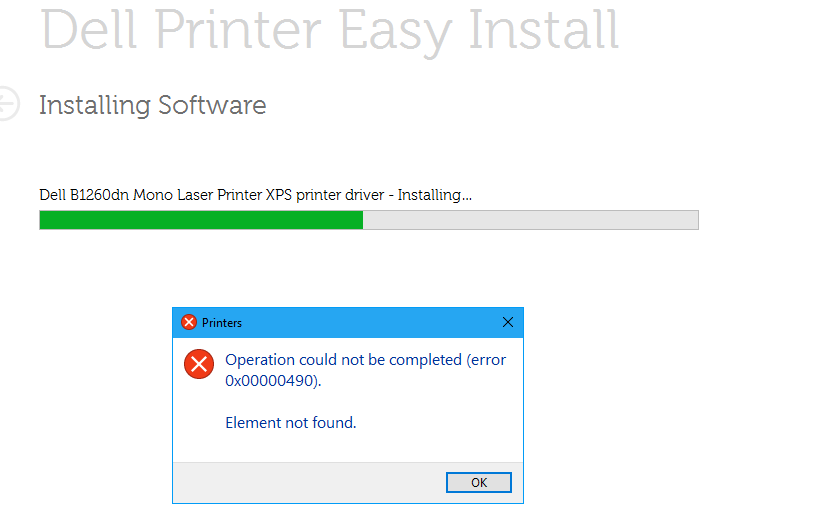
Printer Driver Error During Install
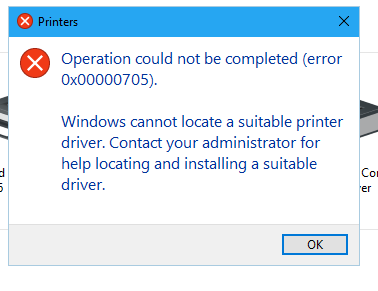

I changed the key PrinterDriverAttributes to 1
Still have error:
Log Name: Microsoft-Windows-PrintService/Admin
Source: Microsoft-Windows-PrintService
Date: 2/1/2019 7:23:52 AM
Event ID: 215
Task Category: Installing a printer driver
Level: Error
Keywords: Printer Setup,Printer
User: SYSTEM
Computer: TS5.corp.wynnetr.com
Description:
Installing printer driver Dell B1260dn Mono Laser Printer XPS failed, error code 0x0, HRESULT 0x80070490. See the event user data for context information.
Event Xml:
<Event xmlns="http://schemas.microsoft.com/win/2004/08/events/event">
<System>
<Provider Name="Microsoft-Windows-PrintService" Guid="{747EF6FD-E535-4D16-B510-42C90F6873A1}" />
<EventID>215</EventID>
<Version>0</Version>
<Level>2</Level>
<Task>19</Task>
<Opcode>12</Opcode>
<Keywords>0x8000000000000220</Keywords>
<TimeCreated SystemTime="2019-02-01T13:23:52.584737300Z" />
<EventRecordID>4622</EventRecordID>
<Correlation />
<Execution ProcessID="57952" ThreadID="49540" />
<Channel>Microsoft-Windows-PrintService/Admin</Channel>
<Computer>TS5.corp.wynnetr.com</Computer>
<Security UserID="S-1-5-18" />
</System>
<UserData>
<SetupInstallPrinterDriver xmlns="http://manifests.microsoft.com/win/2005/08/windows/printing/spooler/core/events">
<Label>InternalInstallPrinterDriverFromPackage</Label>
<Message>pfnPSetupParseInfAndCommitFileQueue failed</Message>
<AdditionalInfo>-</AdditionalInfo>
<InfPath>C:\Windows\System32\DriverStore\FileRepository\sdb3xv4.inf_amd64_13d7b77e31ce17a9\sdb3xv4.inf</InfPath>
<DriverName>Dell B1260dn Mono Laser Printer XPS</DriverName>
<InstallSection>-</InstallSection>
<ProcessorArchitecture>Windows x64</ProcessorArchitecture>
<PackageAware>Not package aware</PackageAware>
<CoreDriverDependencies>-</CoreDriverDependencies>
<LastError>0x0</LastError>
<HResult>0x80070490</HResult>
</SetupInstallPrinterDriver>
</UserData>
</Event>

Did you restart the printserver after you changed the Key?
Changing PrinterDriverAttributes to 1 tells the system, that this driver is package aware. This needs to be, when Windows Server 2016 wants to install the driver.
Your Eventlog still says that it is not Package Aware.
- Tim HunterFeb 01, 2019Steel Contributor
Yes, I restarted the Print Server. Any other ideas? Do I also need to restart the Terminal Server that I am having the install issues on?
- Michael Da CunhaFeb 01, 2019Brass Contributor
You can try to reboot the Terminal Server also but I don't think that this will help?
Have you tried to install the driver directly on the Terminal Server?
- Tim HunterFeb 01, 2019Steel Contributor
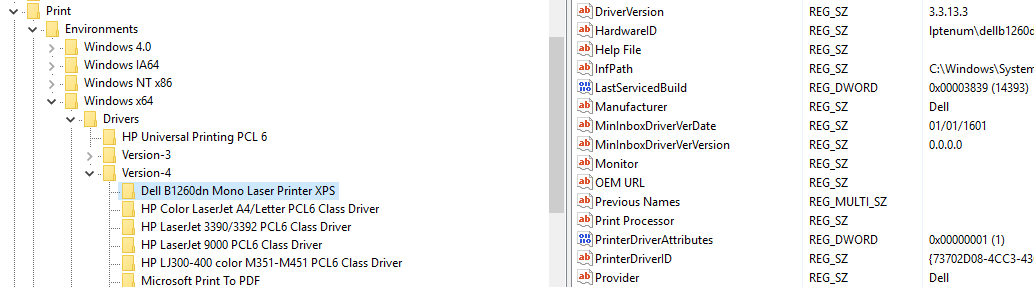
I just downloaded the driver from Dell website and tried to install directly on Terminal Server and get error