Forum Discussion

Patch Fail KB5039227

HI Aditya,
Hope your doing good.
Please find the action plan:-
1. check eventvwr --> Setup and check if no monthly break bettween the patching. Eg: April,May, patches are installed, If not you need to install subsequently and try to install.
2. You need to remove the staging patckage Folloiwng are the commands.
- Open Command Prompt as Administrator.
- First, view a list with the installed updates with the DISM command:
dism /online /get-packages /format:table
3. At the "Package Identity" column, find out the Package Name of the update that you want to remove. *
Example: To remove the "Package_for_KB4058702~31bf3856ad364e35~amd64~~16299.188.1.0", you need to enter that value in the next step.
4. Finally, type the following command to remove the desired update package and press Enter: *
dism /Online /Remove-Package /PackageName:PackageName
Example: To remove the "Package_for_KB4058702~31bf3856ad364e35~amd64~~16299.188.1.0", enter this command:
dism /Online /Remove-Package /PackageName:Package_for_KB4058702~31bf3856ad364e35~amd64~~16299.188.1.0.
And check if it works.

Thanks, vikk1530 ,
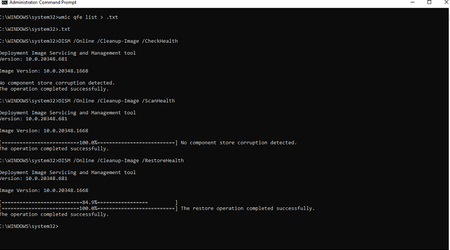
I'm attaching a SS of the installed packages. I do see an error
Please let me know if anything additional is needed.