Forum Discussion

No taskbar after update to windows server 2025
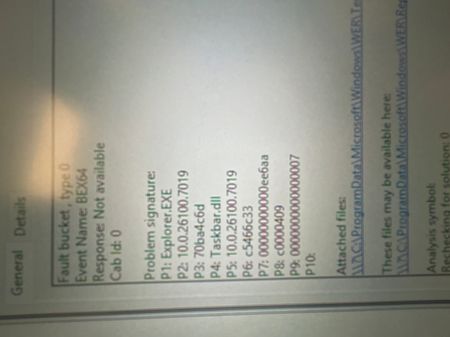

hi Collin11 Here are the known causes and the working fixes for the missing taskbar issue on Windows Server 2025 / 24H2 after installing KB5066835.
This update is currently causing Explorer and Shell UI components to fail on some systems.
Working Fixes
Fix 1 — Uninstall KB5066835 (Most Reliable)
This update is the root cause, and uninstalling it restores the taskbar immediately.
Method A — Using Command Line
Open an elevated PowerShell or CMD:
wusa /uninstall /kb:5066835
Reboot when prompted.
Method B — Using DISM
If WUSA fails:
dism /online /remove-package /packagename:Package_for_KB5066835
Reboot → Taskbar should reappear.
Fix 2 — Reinstall Windows Desktop Experience
Some systems lose ShellExperienceHost registration.
Run:
Add-WindowsFeature Desktop-Experience
Then reboot.
Fix 3 — Re-register Shell Components
This sometimes helps, but rarely works for KB5066835 (still worth trying if you cannot uninstall):
Run PowerShell as admin:
Get-AppxPackage -AllUsers | Foreach {Add-AppxPackage -DisableDevelopmentMode -Register "$($_.InstallLocation)\AppXManifest.xml"}
And:
sfc /scannow
DISM /online /cleanup-image /restorehealth
Temporary Workaround (If you must keep the update)
Install a third-party taskbar just to keep the system usable until Microsoft fixes the issue:
StartIsBack++
ExplorerPatcher
StartAllBack
Not ideal, but works.