Forum Discussion

How to check the number of Windows Server 2022 Standard Core License Pack used
- Dec 04, 2023
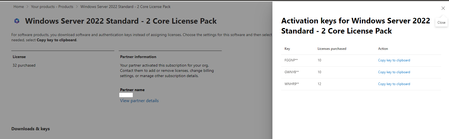
There isn't any place to see this, Windows Server are only activated. Just hang on to the documentation for record keeping and also in case of audit.
Some general info
- Each host needs to be licensed.
- A minimum of 8 core licenses is required for each physical processor and a minimum of 16 core licenses is required for each server.
- Core licenses are sold in packs of two.
- Standard Edition provides rights for up to 2 Operating System Environments or Windows Servers containers with Hyper-V isolation when all physical cores in the server are licensed. For each additional 1 or 2 VMs, all the physical cores in the server must be licensed again.
- DataCenter Edition provides rights for unlimited Operating System Environments or Windows Servers containers with Hyper-V isolation when all physical cores in the server are licensed.

thanks for the information.
Please let me know if I understand correctly - I can use the same 2-core license key to activate all instances of WS 2022 Standard, even if this key is for 24 core (10x 2-core) and activates with it 8 VMs with 2 vCPU each? (I have 32x 2-core license keys)

Shouldn't really matter, just make sure you have enough core licenses to cover the sum of the host cores.