Forum Discussion

Check if user already exists
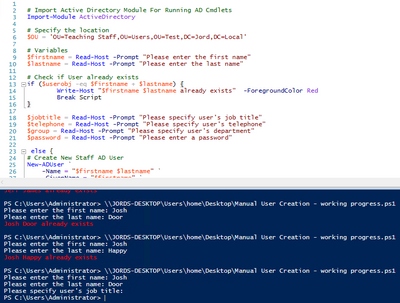

It's difficult to read your code, since the picture loads very small on my browser. Next time I suggest posting the code itself instead of screenshots.
I'm not a fan of scripts written for other people to type in. Read-host is kinda neat the first day you discover it, but I think you'll end up discovering that this approach is far too fragile.
That aside, checking to see if an account exists or not is a pretty common requirement. There are lots of ways to do it, but in general, you try to get the account in question, and if you couldn't, you know it doesn't exist! You'll need to make sure "couldn't" isn't simply because of environmental issues, like the network being down, etc.
Two samples:
#Example 1

$AdUser = Get-ADUser -Filter {SamAccountName -eq $SamAccountName}

if ($AdUser -eq $null) {<UserDoesntExistCode>}
else  {<UserExistsCode>}


#Example 2

$AdUser = Get-ADUser -Filter {SamAccountName -eq $SamAccountName}

if ($AdUser -is 'Microsoft.ActiveDirectory.Management.ADUser') {<UserExistsCode>}
else  {<UserDoesntExistCode>}
Be aware that I'm assuming the match is simply on the samAccountName attribute. If you want to search more broadly (but maybe get multiple responses), you could try other attributes, or the https://social.technet.microsoft.com/wiki/contents/articles/22653.active-directory-ambiguous-name-resolution.aspx#PowerShell_Example_with_Get-ADUser.