Forum Discussion

PS export to see if users are sharing their calendar details in Outlook
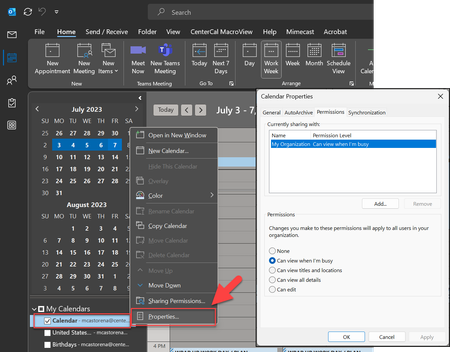

Hi mdcastorena
As LeonPavesic has already highlighted, you'll want to use the cmdlet Get-MailboxFolderPermission to view folder-level permissions in mailboxes
A simple one-liner that would get the calendar permissions for a single mailbox would be:
Get-MailboxFolderPermission -Identity <mailbox_id>:\Calendar
 mdcastorenaJul 10, 2023Brass ContributorPerfect, thank you. Now how would I loop through a list of ALL mailboxes (such as CSV file listing all email addresses), or just have it display all mailboxes instead of requiring an Identity?
- kevkellyJul 10, 2023MCT
LeonPavesic already supplied an extended example of how you could loop through all mailboxes
Given a CSV file that contains say a list of the PrimarySmtpAddress that you want to check Calendar permissions for, a simple script that would loop through each address might look like:
$mailboxes = Import-Csv -Path <path_to_csv_file>

foreach($mailbox in $mailboxes){
    Get-MailboxFolderPermission -Identity "$($mailbox.PrimarySmtpAddress):\Calendar" -ErrorAction SilentlyContinue | Select-Object Identity, User, AccessRights, SharingPermissionFlags
}
The above is a simplified example, ideally you'd add some error handling to this script and export the results to a file rather than the console
If you wanted to query all mailboxes and not use a CSV file as the input, then you could change the $mailboxes variable to:
$mailboxes = Get-Mailbox -ResultSize Unlimited- mdcastorenaJul 10, 2023Brass ContributorGot it, sorry - I totally missed their first response. Thank you both.