Forum Discussion

PS export to see if users are sharing their calendar details in Outlook

Hi mdcastorena,
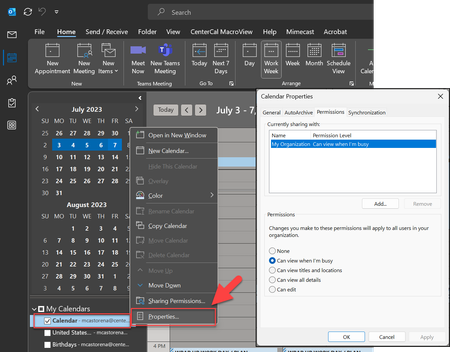
It's great to hear that you're turning to the PowerShell community for assistance. I can try to help you with creating a PowerShell script to export and analyze calendar sharing settings for users in your organization:
# Connect to Exchange Online
$credential = Get-Credential
$exchangeSession = New-PSSession -ConfigurationName Microsoft.Exchange -ConnectionUri "https://outlook.office365.com/powershell-liveid/" -Credential $credential -Authentication "Basic" -AllowRedirection
Import-PSSession $exchangeSession -DisableNameChecking
# Get a list of all user mailboxes
$mailboxes = Get-Mailbox -ResultSize Unlimited
# Initialize an empty array to store the results
$calendarSharingDetails = @()
# Loop through each mailbox
foreach ($mailbox in $mailboxes) {
$mailboxEmail = $mailbox.PrimarySmtpAddress
# Get calendar sharing permissions for the mailbox
$calendarPermissions = Get-MailboxFolderPermission -Identity "$mailboxEmail:\Calendar"
# Loop through each calendar permission and extract the relevant details
foreach ($permission in $calendarPermissions) {
$calendarSharingDetail = New-Object PSObject
$calendarSharingDetail | Add-Member -MemberType NoteProperty -Name "Mailbox" -Value $mailboxEmail
$calendarSharingDetail | Add-Member -MemberType NoteProperty -Name "User" -Value $permission.User
$calendarSharingDetail | Add-Member -MemberType NoteProperty -Name "AccessRights" -Value $permission.AccessRights
$calendarSharingDetails += $calendarSharingDetail
}
}
# Export the results to a CSV file
$calendarSharingDetails | Export-Csv -Path "CalendarSharingDetails.csv" -NoTypeInformation
# Disconnect from Exchange Online
Remove-PSSession $exchangeSession
You'll need the Exchange Online PowerShell module installed to run this script.
About the Exchange Online PowerShell V2 module and V3 module | Microsoft Learn
Once you have the script ready, save it with a .ps1 extension (e.g., CalendarSharingReport.ps1), and then execute it in a PowerShell environment in a path in which the script was saved..
.\CalendarSharingReport.ps1
Please click Mark as Best Response & Like if my post helped you to solve your issue. This will help others to find the correct solution easily. It also closes the item. If the post was useful in other ways, please consider giving it Like.
Kindest regards
Leon Pavesic