Forum Discussion

GaryHenry-4285
Feb 27, 2026Copper Contributor
Powershell runs fine manually but not in Task Scheduler
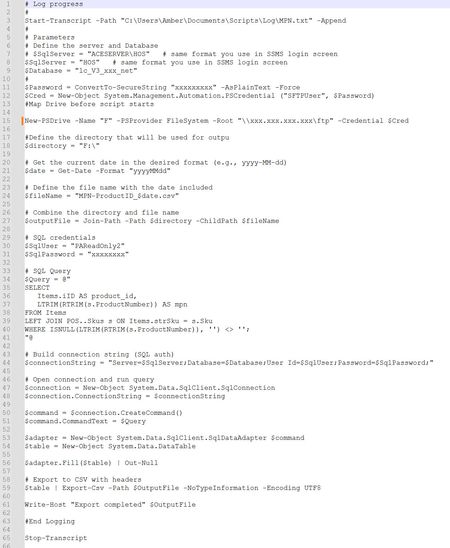
I have a strange problem, and I am hoping someone will be able to point me to a solution. Below you will see a PowerShell script below that I am running The script works fine when it is run ma...

Charlie34000
Mar 22, 2026MCT
Hi,
When a PowerShell script works manually and works when you click Run in Task Scheduler, but fails at the scheduled time, the root cause is almost always the non‑interactive environment used at 5 AM.
Here are the three most common causes:
✔️ 1. Different environment at scheduled time
At 5 AM the task runs with:
- no user profile
- no PATH customizations
- no mapped drives
- no loaded modules unless imported explicitly
If your script depends on any of these, the output becomes corrupted.
✔️ 2. Use full paths
Always call PowerShell explicitly:
C:\Windows\System32\WindowsPowerShell\v1.0\powershell.exe -NoProfile -ExecutionPolicy Bypass -File "C:\Scripts\YourScript.ps1"And avoid relative paths inside the script.
✔️ 3. Encoding issues
Some scripts produce “garbage” output when no console is attached. Force UTF‑8:
[Console]::OutputEncoding = [System.Text.Encoding]::UTF8