Forum Discussion

SkypeForBusiness
Oct 30, 2023Copper Contributor
MS-Teams Command "New-Team" Site URL incorrect
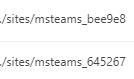
Hi all, I want to automatically create a MS Teams Team with a SharePoint Site. I use the following command: $teamName = Read-Host -Prompt 'Input your team name' New-Team -DisplayName $teamName ...
- Oct 30, 2023
According to the documentation for the Alias (aka mailNickname), there's no problem with using a hyphen. And that's backed up by your manual testing.
It will be some other character that's causing the error, not the hyphen.
What value are you trying to specify for -MailNickname?
Cheers,
Lain

SkypeForBusiness
Oct 30, 2023Copper Contributor
Hi Lain,
It is working with the mailNickname value but I need to have the "-" in it. When I create the Group manually it is possible to have the "-" in the URL. Is there a solution for this? now it says:
New-Team : Error occurred while executing
Code: Request_BadRequest
Message: Invalid value specified for property 'mailNickname' of resource 'Group'.
It is working with the mailNickname value but I need to have the "-" in it. When I create the Group manually it is possible to have the "-" in the URL. Is there a solution for this? now it says:
New-Team : Error occurred while executing
Code: Request_BadRequest
Message: Invalid value specified for property 'mailNickname' of resource 'Group'.

LainRobertson
Oct 30, 2023Silver Contributor
According to the documentation for the Alias (aka mailNickname), there's no problem with using a hyphen. And that's backed up by your manual testing.
It will be some other character that's causing the error, not the hyphen.
What value are you trying to specify for -MailNickname?
Cheers,
Lain
- SkypeForBusinessOct 30, 2023Copper ContributorOh I found it. I was using the same inputvariable for the alias, which had spaces in it. I know will trim the spaces and save the value in a new variable which is then used for the -MailNickname.
Many thanks for your help