Forum Discussion

arturorosario
Mar 09, 2022Copper Contributor
Map network drive
How can I map an internal network share as a user home folder with Azure AD joined PCs? This is what I'm trying to do: H Drive \\server\students\%username% Any help would be most app...

Mar 12, 2022
But you can connect to it from your device now?

arturorosario
Mar 12, 2022Copper Contributor
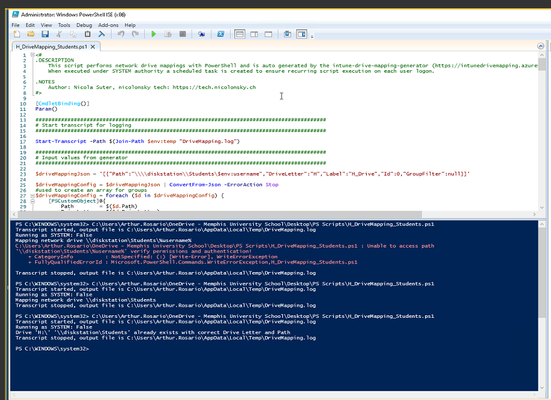
Our devices could always initiate a manual connection to a network share. What I'm trying to accomplish is mapping a drive to that network share via a script.
- Mar 12, 2022And also single sign-on? And do you use the username variable, but isn't that the UPN/email address? Your home directory is probably based on SamAccountName / Short name?
- arturorosarioMar 12, 2022Copper ContributorWe have SSO activates. Our users sign in with their full email as a username.
- Mar 13, 2022Ok, but what is %username% when typing that on the Azue AD Joined devices? Does that match with the last directory in the homedirectory path on the fileserver?