Forum Discussion

Help with Group-Object not working as expected
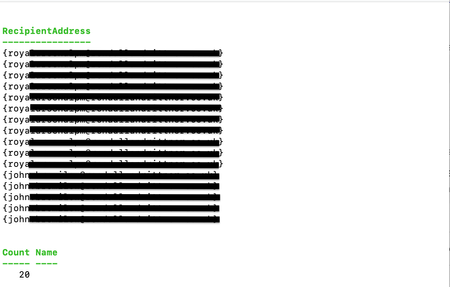

I have done some more investigation and have read that the Format-Table command can cause problems. I have modified the code as follows (removed the Format-Table command):
$messages = Get-QuarantineMessage -RecipientAddress $recipients
$messages | ft -Property RecipientAddress
$messages | Group-Object -Property RecipientAddress | Format-Table -Wrap
and the output is now
Which is still wrong but seems to be getting closer

Group-Object isn't going to help you with this - at least not unless you do some more preparation with the recipients array such as convert it to a string first. Even then - as shown below, if the recipient ordering is different for the same set of users, they won't match.
We can see that all four inner arrays have the same people in them (which is analogous to your example), yet Group-Object isn't geared to figure that out.
What we might hope for here is a count of 4 for a single group, but we get everything except that. And were I to convert the inner arrays to strings first, I'd still get two groups of 2 rather than a single group of four.
Cheers,
Lain