Forum Discussion

Failed to automate PowerShell script using service principal for Power BI Security AD group

Hi.
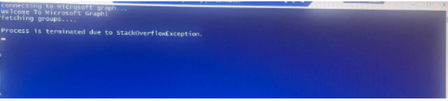
My best guess would be that the StackOverflowException is coming from the loops (i.e. the foreach) statements.
As an side, there's no reason to be using the third-party Get-MsalToken function, since Connect-MgGraph (for which Connect-Graph is simply an alias) is enough for your script.
The script is also quite inefficient in two contexts:
- Querying Graph;
- Memory utilisation.
Querying Graph
You're pulling everything contained in Azure AD into your script and then filtering for what you want. This is called client-side filtering and it scales very poorly as environments grow larger.
Instead, you should be using server-side filtering whenever it's available, as it is for Graph group and user objects. It's generally surfaced through the -Filter parameter.
Imagine your directory contains 50,000 groups and only five of those are Power BI control groups. You'd be pulling 50,000 groups down from Graph and storing them locally only to run the rest of the script against five groups.
By using server-side filtering, you're only pulling down from Graph the five groups you require.
Memory utilisation
Once you pull the entire directory's contents client-side, you're then storing it in a variable, which means the memory manager (the .NET GAC) cannot free up memory should it suffer from memory pressure.
Note: I've ignored the final three lines as they seem to mirror the earlier script contents and suffer from all the same issues.
Based on the script you've provided, I'd go with a different revision that:
- Does not unnecessarily use Get-MsalToken;
- Uses server-side filtering instead of client-side filtering;
- Does not store massive whole-of-directory variables client-side, but instead uses the pipeline as PowerShell was largely intended to be used.
Example script
Note: For this example script, I'm using the richer Microsoft.Graph.Beta.* modules.
# Note: It's not good, secure practice to store client credentials within a script.
$AppId = "AppID";
$TenantId = "TenantID";
$ClientSecret = "ClientSecret";

$CsvFile = ".\somefile.csv";

#Connect to Microsoft Graph.
Connect-MgGraph -TenantId $TenantId -ClientSecretCredential ([pscredential]::new($AppId, (ConvertTo-SecureString -String $ClientSecret -AsPlainText -Force)));

# Fetch the Power BI groups and export the contained users (note, neither this example nor the original perform recursive expansion).
Get-MgBetaGroup -Filter "startsWith(displayName, 'a-PBIxx-')" |
    ForEach-Object {
        $Group = $_;

        Get-MgBetaGroupMember -GroupId ($Group.id) |
            ForEach-Object {
                if ($_.AdditionalProperties.ContainsKey("userType"))
                {
                    $_.AdditionalProperties.Add("id", $_.id);
                    $User = [pscustomobject] ([hashtable] $_.AdditionalProperties);      # This isn't strictly necessary but does make for easier reading in the code the follows.

                    [pscustomobject] @{
                        GroupId = $Group.id;
                        Group = $Group.displayName;
                        UserId = $User.id;
                        UserType = $User.userType;
                        UserName = $User.displayName;
                        Mail = $User.mail;
                        UserPrincipalName = $User.userPrincipalName;
                    }
                }
            }
    } |
        Export-Csv -Path $CsvFile -NoTypeInformation;
Cheers,
Lain
 ynr0225Jan 23, 2024Copper Contributor
Hi LainRobertson,
Thanks for the suggestion, i have ran in PowerShell but i am getting below error before running the script i have installed Microsoft.Graph.beta module. Any suggestions will be helpful.
Thanks!
- LainRobertsonJan 23, 2024Silver Contributor
Perhaps check your version of Microsoft.Graph.Authentication as even though I'm two versions behind, I see the ClientSecretCredential parameter from the initial error, and it still features in the documentation:
It's possible you've got an older version, or even multiple versions installed and the one chosen at run time may be the older version. (One old issue I can recall was the x86 path being searched ahead of the x64.)
Anyhow, it's definitely there. That said, I use certificate-based authentication and not client secrets, so it's also possible you might need to tweak the Connect-MgGraph command once you get the initial issue around the unknown parameter resolved.
Cheers,
Lain
- ynr0225Feb 05, 2024Copper Contributor
Hi LainRobertson,
Thanks for the suggestion. After upgrading the Microsoft.graph module, I am able to automate the PowerShell script.
Regards,
Nagendra Y