Forum Discussion

Error PowerShell 300-1015 (80)
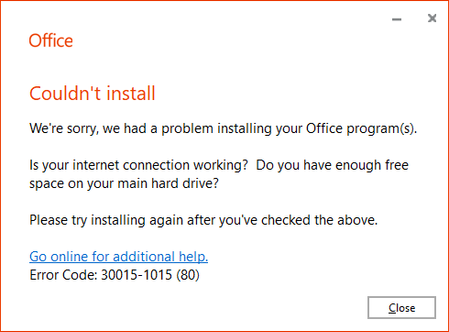

Hi,
The error “Missing termination character in the string” happens when PowerShell tries to parse a path or a command that contains:
- an unclosed quote
- a backslash that escapes the next character
- a path with spaces but without quotes
In your screenshot, the Office installer fails with error 30015‑1015 (80), but the PowerShell error you see is unrelated to Office itself — it’s caused by the path from which you are running PowerShell.
If the folder name contains spaces or backslashes that are not quoted correctly, PowerShell will throw exactly the error you’re seeing.
For example, this will fail:
Set-Location D:\Ripristino\File Ripristino\Office\Office
because of the space in File Ripristino.
Try quoting the path explicitly:
Set-Location -LiteralPath "D:\Ripristino\File Ripristino\Office\Office"
-LiteralPath prevents PowerShell from interpreting backslashes or special characters.
If PowerShell opens normally when launched from the Desktop but not from that folder, it confirms that the issue is the folder name, not PowerShell or ODT.
Let me know if you want to validate your ODT XML or the full installation command.