Forum Discussion

Office Video to Microsoft Stream migration
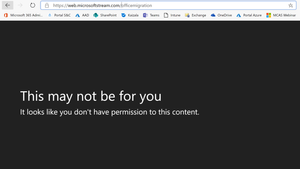

JavoMejia Hello Guys. Just to confirm that we access yesterday to the migration link and it is working now, I suggest to test your migration links three or four days after the message from Microsoft.
Best Regards.

JavoMejia I received my "we have enabled your organization to be able to migrate to Stream" email Aug. 27th. Unfortunately we're still receiving the same "This may not be for you" permission denied error (as Global Admin). It's been over a week, so it feels like something is still not connected behind the scenes.
- JavoMejiaSep 04, 2019Copper Contributor
Hello Josh_Gister Have you checked your permissions over stream?. I saw that even if you are Global Admin you can add yourself as Admin on Stream.
- Josh_GisterSep 04, 2019Copper Contributor
JavoMejia my global admin user is on that list, although it says "Users on this list and all global tenant admins are allowed to change privacy settings, reassign ownership of a video or channel, and more."
Still seeing the same error on the migration page, unfortunately.
- KazzanOct 03, 2019MVP
Josh_Gister seems you need to go to Video Portal settings and add your account as owner of the Site. The "Company Administrator" does not seem to work.
