Forum Discussion

Lyle_Xu Microsoft
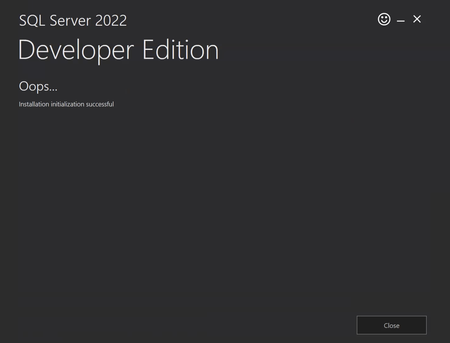
Sep 12, 2024MicrosoftThe customer cannot install developer version under system account
Hi There,
When the customer uses winget to install sql server developer edition under user level, everything is fine.
Now the customer wants to use dev box and bake sql server developer editi...

SivertSolem
Sep 12, 2024Iron Contributor
The errorcode presented in the "Extended Error Code" segment, "ErrorCode": -1978335226, translates to the following error message:
APPINSTALLER_CLI_ERROR_SHELLEXEC_INSTALL_FAILED (Running ShellExecute failed)
See https://github.com/microsoft/winget-cli/blob/master/doc/windows/package-manager/winget/returnCodes.md
I don't know if that helps.
If the SQL Server setup successfully installed, you should have a summary.txt file at the following path
C:\Program Files\Microsoft SQL Server\160\Setup Bootstrap\Log\summary.txt
This will contain the summary of the install, with SQL Server specific error messages.
APPINSTALLER_CLI_ERROR_SHELLEXEC_INSTALL_FAILED (Running ShellExecute failed)
See https://github.com/microsoft/winget-cli/blob/master/doc/windows/package-manager/winget/returnCodes.md
I don't know if that helps.
If the SQL Server setup successfully installed, you should have a summary.txt file at the following path
C:\Program Files\Microsoft SQL Server\160\Setup Bootstrap\Log\summary.txt
This will contain the summary of the install, with SQL Server specific error messages.
 Lyle_XuSep 12, 2024Thanks Siver. Under System account, double click "SQL2022-SSEI-Dev.exe", it immediately fails. There is no summary.txt generated because it did not start to install...