Forum Discussion

JYMSSQL
Apr 12, 2020Copper Contributor
SQL Server Features Setup Failed
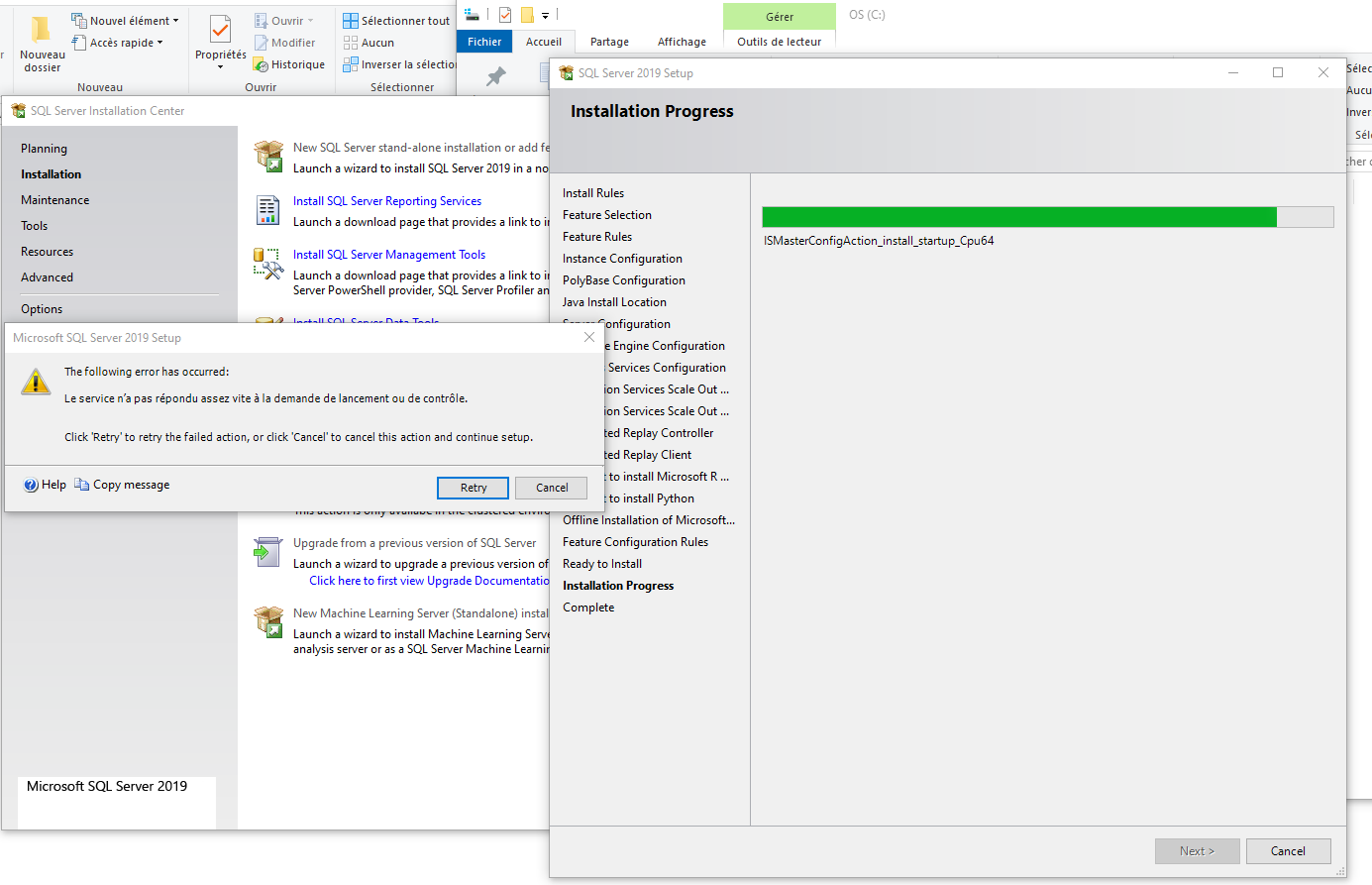
Hi, I'm trying to install SQL Server 2019 Evaluation version and I got some errors especially when the setup try to configure IS Master and IS Worker . I tried the installation many times . E...


mcdasa
Apr 14, 2020Brass Contributor
https://docs.microsoft.com/en-us/sql/machine-learning/known-issues-for-sql-server-machine-learning-services?view=sql-server-ver15
in the document above;
For example, this error might occur if you install the database engine by using the release version, apply a patch to upgrade the database engine, and then add the R Services feature by using the release version.
To avoid this problem, use a utility such as File Manager to compare the versions of Launchpad.exe with version of SQL binaries, such as sqldk.dll.
All components should have the same version number. If you upgrade one component, be sure to apply the same upgrade to all other installed components.
——
documents said that different version of components cause similiar problem but i don't think you installed different version of components.
did you also mean that you change the service account from default to built-in account and it has succeed to run but cannot connect to ssidb catalog?
I'm not sure what ssidb catalog is, is it SSISDB catalog? You can connect to sql server by windows os admin in single mode(net start mssqlserver /m)
my apology of no useful answer.
in the document above;
For example, this error might occur if you install the database engine by using the release version, apply a patch to upgrade the database engine, and then add the R Services feature by using the release version.
To avoid this problem, use a utility such as File Manager to compare the versions of Launchpad.exe with version of SQL binaries, such as sqldk.dll.
All components should have the same version number. If you upgrade one component, be sure to apply the same upgrade to all other installed components.
——
documents said that different version of components cause similiar problem but i don't think you installed different version of components.
did you also mean that you change the service account from default to built-in account and it has succeed to run but cannot connect to ssidb catalog?
I'm not sure what ssidb catalog is, is it SSISDB catalog? You can connect to sql server by windows os admin in single mode(net start mssqlserver /m)
my apology of no useful answer.

JYMSSQL
Apr 14, 2020Copper Contributor
Hi mcdasa
Thank you for your answer.
Except If I did a mistake but I installed DB Engine + R services via the setup downloaded in the Microsoft download center. So the version of both are the same doesn't it?
Yes you are right, it was a typing mistake I 'm talking about SSISDB catalog.
I still continue looking for the root cause even if it's not obvious due to errors not described enough in event viewe, log files ,....