Forum Discussion

How do I only record my shared desktop screen and not the video feed from other participants?
- Nov 02, 2017
Hi Shane
The issue was happening on my laptop screen when presenting, but I have found a way to get my solution.
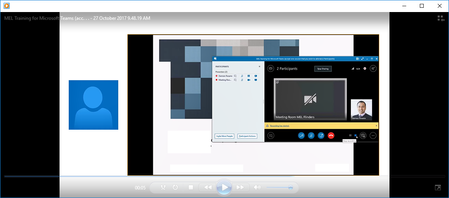
By setting all participants as Attendees and also disabling their video feeds, I have found that when I record the meeting it only shows the shared screen I am presenting.
I did notice that when someone had typed out a question, it appeared on the side of the video, but the way to fix that for me might be to disable IM and let people ask questions via audio.
Either way I have my solution which I had to trial and error to get!
Thanks again for all your input!


Hi, Damien. I think joyoshare screen recorder can work well on you cause it enables you to grab recording area freely with/without audio. I used to use it to record my PowerPoint presentation. You could give it a shot. Damien_Rosario
- Damien_RosarioJun 04, 2020Silver Contributor
Thanks for your contributions, LiamA165.
Since that time I've also found a recording option in PowerPoint as well and as you say some other options like Joyoshare. Now I use solely Teams which is awesome.
Have a great weekend ahead!
Cheers
Damien