Forum Discussion

sharkee
Apr 06, 2021Copper Contributor
Missing security parameters using the Baseline-LocalInstall.ps1 script
Hello, I have a machine that is running windows 10 and it is not connected to a domain, so I applied the Microsoft Baseline security for windows 10 v2004. I applied the Microsoft Baseline s...
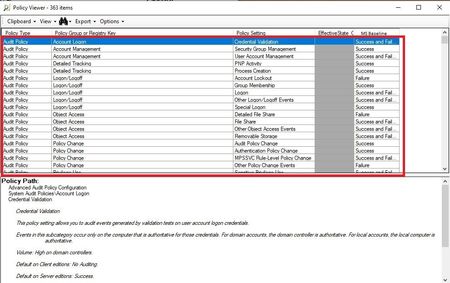

sharkee
Apr 11, 2021Copper Contributor
hello AaronMargosis_Tanium
Thank you for your reply,
1. but when you are in the PA, and "imported the baseline, selected it," which policies did you select?
2. After you ran the PA comparison of the Baseline security policies and the effective state of the machine, did you get any policies in the effective state that are not set? while in the imported baseline they have a value?
Thank you
Best regards

Anonymous
Apr 11, 2021sharkee -
1. I imported the entire baseline, but when I did the comparison, I filtered out the Server-only settings from the results. Effect should be the same either way.
2. No - everything was applied, except for the adjustments that the non-domain-joined option does.
Can you verify that when you extracted the baseline that you didn't have any "path too long" errors that interfered with successful extraction from the zip? The paths in the zip file are VERY long.
1. I imported the entire baseline, but when I did the comparison, I filtered out the Server-only settings from the results. Effect should be the same either way.
2. No - everything was applied, except for the adjustments that the non-domain-joined option does.
Can you verify that when you extracted the baseline that you didn't have any "path too long" errors that interfered with successful extraction from the zip? The paths in the zip file are VERY long.