Forum Discussion

Defender XDR: Tables not supported for table management
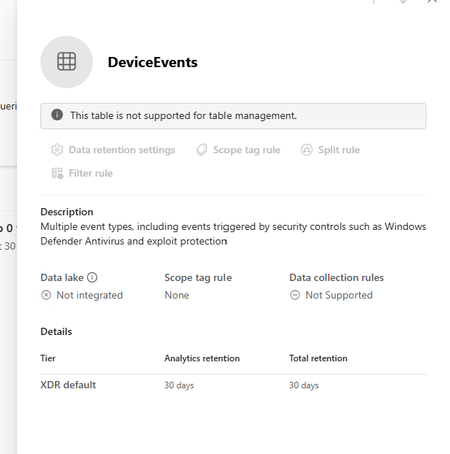

The screenshot confirms DeviceEvents is currently the built-in XDR-default table: it has 30 days' retention and no Sentinel workspace association, so the disabled control is expected, not a portal error. Connecting a Sentinel workspace in Defender settings does not itself stream every advanced-hunting table. Open the Microsoft Defender XDR data connector for the intended Sentinel workspace, expand Connect events, select DeviceEvents under Defender for Endpoint, and apply the change. After data arrives, verify it in that workspace with a DeviceEvents query and confirm the table is shown as Microsoft Sentinel, not XDR default. Then configure analytics retention from Sentinel > Configuration > Tables. Extending supported XDR data beyond 30 days incurs ingestion charges, with additional storage charges after the included period. If it remains unmanaged, confirm the correct workspace is selected and that your account has Data manage or Log Analytics Contributor permissions.