Forum Discussion

Fortigate workbook not populating
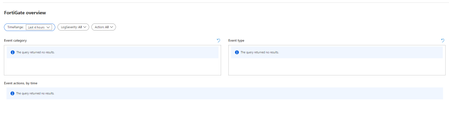

I think I've figured out the problem here. The query doesn't actually work exactly as typed, my mistake. The DeviceProduct field contains data such as "FortiGate-80E" rather than simply "FortiGate". I've modified the Workbook queries to begin with...
let data = CommonSecurityLog
| where DeviceVendor =~ 'Fortinet'
| where DeviceProduct startswith 'Fortigate'
and it now populates. Perhaps this is a syntax problem with the workbook itself or maybe the Fortigate output format has changed since the workbook template was written. One other possibility, the content being sent to Sentinel in my case comes from FortiAnalyzer rather than directly from a Fortigate firewall.

I am facing similar issue, where the FortiGate workbook is not populating any data.
Data is being populated to the table, I can query against the table directly, but no results in the workbook
CommonSecurityLog
| where DeviceVendor == "Fortinet"
| where DeviceProduct startswith "Fortigate"
Also as Mike suggested, checked by adding | where DeviceProduct startswith 'Fortigate' as well, but still doesn't work.
Can you help me with this issue.
- Rod_TrentFeb 08, 2022
Microsoft
For kicks, try replacing the code with the code from the GitHub repo in the event the Workbook has been modified in some way. I tested the original and it's working fine.
https://cda.ms/3PF- Surya92Feb 11, 2022Copper ContributorHello Rod_Trent,
We have completely replaced our code with the code from GitHub repository, but still no luck.
Do we have any other work arounds for this.- Clive_WatsonFeb 13, 2022Bronze Contributor
Does this work better, new workbook version
1. How to install clivewatson/KQLpublic: My useful KQL and Azure Monitor workbooks (Public) (github.com)
- Just follow the above process but create a NEW Sentinel workbook, to paste the new code into
2. Link to a updated version of the Workbook: https://raw.githubusercontent.com/clivewatson/KQLpublic/master/KQL/Workbooks/Forti/FortiGate v1.1.workbook

