Forum Discussion

stianhoydal
Jan 04, 2022Brass Contributor
No option to tune analytics rule with Microsoft 365 Defender connector
Greetings, i have been working with a few different customers and when trying to configure the Defender for O365 alert "Email messages containing malicious URL removed after delivery", however there ...
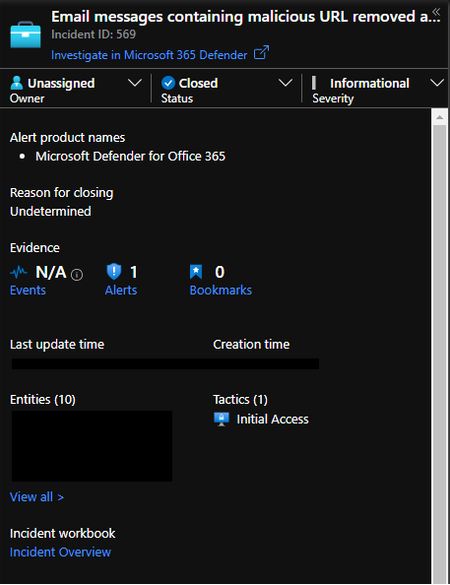
- Jan 04, 2022You can't update those rules as it uses an integrated bi-directional sync engine.
The best way is to use automation rules to update these incidents based on certain conditions.

Thijs Lecomte
Jan 04, 2022Bronze Contributor
I prefer to keep the preview connector enabled as it has the incident bi-directional sync which is a huge benefit.
I haven't heard of any changes which would solve your issue. I guess the solution is automation rules... I don't think this will change
I haven't heard of any changes which would solve your issue. I guess the solution is automation rules... I don't think this will change

stianhoydal
Jan 04, 2022Brass Contributor
The problem with using automation rules(as far as i know) is that the incident would still be created. I am working for a MSP and we are running a SOC which gets all incidents forwarded to them continously. I suppose i could try to create an automation rule that closes these incidents and put a check in the mail forwarding playbook to check if the incident is open or not(unless it does this by default)
- Thijs LecomteJan 04, 2022Bronze ContributorI always work for an MSP that runs a SOC.
You can setup priority for automation rules.
I close the incidents first and then only sync them- stianhoydalJan 04, 2022Brass ContributorI will try to do this and see if it works. Thanks for answers 🙂