Forum Discussion

MS Threat Intel matching with custom logs
- Apr 25, 2020
There are ways to do it but it requires a bit of creative log ingestion. I am not sure how you get the data from that custom log into Sentinel but in our case, when we want to have a log enriched with the Microsoft threat intel, we "force" it through the CEF connector. The challenge of course, is to process the data that is not available in CEF. For that we use Logstash to get the raw logs, parse and adjust the format to match CEF standard and send it as syslog to the Sentinel collector (using the syslog facility configured for the CEF collector).
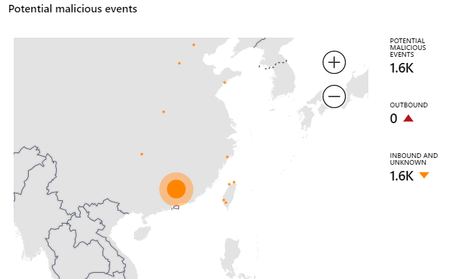
Here is an example of our custom threat intel feed (that we compile and saved as csv file on a server on hourly basis) converted as CEF through Logstash and sent to Sentinel through the CEF data collector (and you can see that some entries match Microsoft's threat intel as well):
The Logstash part is not as complicated as one may think:
Adrian Grigorof
http://www.managedsentinel.com

There are ways to do it but it requires a bit of creative log ingestion. I am not sure how you get the data from that custom log into Sentinel but in our case, when we want to have a log enriched with the Microsoft threat intel, we "force" it through the CEF connector. The challenge of course, is to process the data that is not available in CEF. For that we use Logstash to get the raw logs, parse and adjust the format to match CEF standard and send it as syslog to the Sentinel collector (using the syslog facility configured for the CEF collector).
Here is an example of our custom threat intel feed (that we compile and saved as csv file on a server on hourly basis) converted as CEF through Logstash and sent to Sentinel through the CEF data collector (and you can see that some entries match Microsoft's threat intel as well):
The Logstash part is not as complicated as one may think:
Adrian Grigorof
http://www.managedsentinel.com
