Forum Discussion

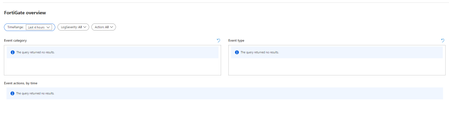
Fortigate workbook not populating

 Microsoft
joshzan It does look like the data is being ingested, but have you run any queries against the table containing the Fortinet data to verify that the table is populated?
In the Logs blade:
CommonSecurityLog
| where DeviceVendor == "Fortinet"
| where DeviceProduct startswith "Fortigate"
 MikeElliottUKDec 14, 2020Tin Contributor
Rod_Trent I have the same problem here. Data is being populated to the table, I can query against the table directly, but no results in the workbook.
- CliveWatsonDec 14, 2020Former Employee
So when you run this, you get data back? If so the workbook uses the same.
CommonSecurityLog
| where DeviceVendor =~ 'Fortinet'
| where DeviceProduct =~ 'Fortigate'
Do you get an error from the Workbook or "no data" ? Have you confirmed that the workbook is opened in the same Workspace?- MikeElliottUKDec 14, 2020Tin Contributoryes that's the weird thing Clive, a query works fine and returns data, but the workbook returns no results. I've confirmed that the workbook is opened to the same workspace.
- CliveWatsonJul 11, 2020Former Employee
So you now have data in the Table, is the Workbook working ok now? If not I would put it in Edit mode and check one of the queries to make sure its mapped to the right Subscription & Workspace?

