Forum Discussion

Defender Entity Page w/ Sentinel Events Tab
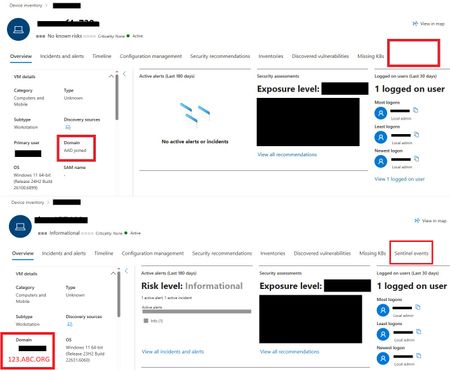

The Sentinel events tab in the Defender for Endpoint (MDE) device page only appears when: That specific device has events ingested into Microsoft Sentinel that can be correlated back to the device entity.
Can you check if the Domain join PC have enable the telemetry, and also check for network connectivity:
1. Enable telemetry:
GPO: To enable Microsoft Defender telemetry via Group Policy, navigate to Computer Configuration > Administrative Templates > Windows Components > Data Collection and Preview Builds, then set the "Allow diagnostic data" (or "Allow telemetry") policy to a higher level like "Required" or "Full"
Intune: https://www.anoopcnair.com/allow-telemetry-or-diagnostic-data-intune/
2. Verify on your company firewall if these URLs open or not:
*.securitycenter.microsoft.com
*.wd.microsoft.com
*.wdcp.microsoft.com
*.events.data.microsoft.com
*.telemetry.microsoft.com
And also turn off SSL inspection for these URLs (this is important but many people forget).