Forum Discussion

Connect to Azure Active Directory
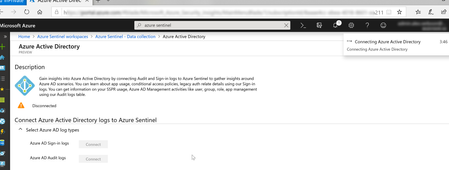


Do you Need to configure the same log analytics workspace for both Solutions?
Thanks
Alex
- Uri ArjitecterMar 06, 2019Copper ContributorHi Alex,
Not sure if this is mandatory, I've used the same workspace for both, haven't tested yet with a different one.
Cheers,
Uri- Mar 11, 2019
Had the same issue. In my tenant, connecting Azure AD to Sentinel would not work. The process hung, just like Alex'. Going through the manual steps (https://docs.microsoft.com/en-us/azure/active-directory/reports-monitoring/howto-integrate-activity-logs-with-log-analytics) worked.
The funny thing is that other tenants (like a customer where I enabled the preview), did not have this issue.
Having some sort of log regarding this would be helpful to troubleshoot. Right now, the information is rather limited.
- Alex VerboonMar 31, 2019MVP
mvanhorenbeeck& all,
I solved the issue yesterday, seemded to be a permission issue, while I had full rights on the workspace, I did not have that on the Azure Tenant itself, hence once my colleague logged in with Azure Tenant owner rights , the activation worked nicely.
