Forum Discussion

Robbie Wallis
Aug 05, 2021Copper Contributor
Azure Sentinel CEF Logs
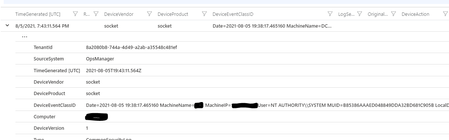
We are having a problem with our log collector setup whereby CEF logs are not being parsed to the right columns. They also repeat in syslog. Firstly can you see anything wrong in the format? Secondly...

Rabi_Sahu
Aug 06, 2021Copper Contributor
So, basically CEF format should be as bellow -
CEF:Version|Device Vendor|Device Product|Device Version|Signature ID|Name|Severity|Extension
In your case im not sure whether Signature ID & Name value are correct or not. because they cant be same .
And yes you can do this adjustment with regex .
Thanks,
 Robbie WallisAug 10, 2021Copper ContributorI am wondering if the "EventsFeederImporter.Host.exe:" bit is a problem. There is a colon directly preceding CEF. I wonder if that is why the columns are being messed up? Does someone know how to remove it using syslog-ng?
- Robbie WallisAug 10, 2021Copper ContributorI managed to replace the program part and it wasnt that causing the issue. What I have noticed is that with the Panda Siemfeeder product there is a different amount of columns in logs depending on the type of event. There is always more than the base CEF format of CEF:Version|Device Vendor|Device Product|Device Version|Device Event Class ID|Name|Severity|[Extension]
It is almost as though Azure starts from the right hand side and works to the left as everything is offset. How does Azure no what column is what when you exceed the 8 default columns? I've tried to remove the additional columns by replacing the additional breaks | using subst in syslog-ng but so far no luck in doing so.- Robbie WallisAug 13, 2021Copper ContributorI found the issue was two fold. One CEF version needed to be 0 and not 1. Also some reports had additional | characters and needed rewriting, I used syslog-ng to do this