Forum Discussion

Microsoft Attack Simulator - Landing Pages on Mobile Devices
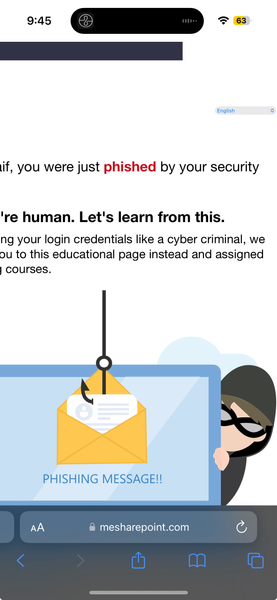

If you are referring to landing pages on mobile devices within the context of Microsoft Attack Simulator, it's crucial to ensure that your simulated phishing campaigns are effective across various platforms, including mobile devices. Many users access their emails and other communication tools on mobile devices, so testing the security awareness and resilience of employees on these devices is essential.
To create landing pages that are compatible with mobile devices, you should consider the following:
Responsive Design: Ensure that your landing pages are designed responsively, adapting to different screen sizes and orientations. This ensures a seamless experience for users accessing the page on mobile devices.
Mobile-Friendly Content: Keep your content concise and easy to read on smaller screens. Avoid clutter and prioritize the most critical information to maintain user engagement.
Testing Across Devices: Before launching any simulated phishing campaigns, thoroughly test your landing pages on various mobile devices to identify and address any compatibility issues.
Browser Compatibility: Ensure compatibility with common mobile browsers such as Chrome, Safari, and Firefox. Test your landing pages across different browsers to catch any rendering issues.
Touch-Friendly Interactions: Consider the touch interface of mobile devices. Ensure that any interactive elements, such as buttons or forms, are easy to use and responsive to touch gestures.
Performance Optimization: Optimize your landing pages for fast loading times on mobile networks. Users on mobile devices may have slower internet connections, so minimizing page load times is crucial for engagementhttps://fixmyphone.se/
Security Measures: If your landing pages involve login screens or other sensitive information, ensure that the security measures are robust and compatible with mobile security standards.