Forum Discussion

Unsanctioned Apps - Scoped Profile Tab
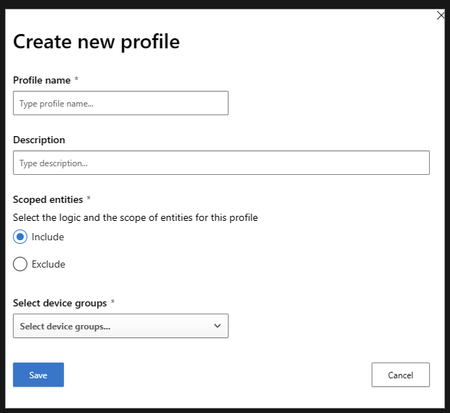

I've also got this issue. According to the same article posted by Bosanac89: https://learn.microsoft.com/en-us/defender-cloud-apps/mde-govern#blocking-apps
Step 1 says:
1. In the Microsoft 365 Defender portal, select Settings. Then choose Cloud Apps. Then under Cloud discovery, select Apps tags and go to the Scoped profiles tab.
This tab does not exist:
We are fully licensed, Defender for Endpoint preview features are switched on, both prerequisites are met (from: https://learn.microsoft.com/en-us/defender-cloud-apps/mde-govern#how-to-enable-cloud-app-blocking-with-defender-for-endpoint), device groups created and active (for a long time before trying to implement a scoped profile). DfE is integrated with DfCA and vice versa.
This option simply does not exist where it is supposed to. Has it been disabled or moved? Is there another way to implement exclusions for app blocking via unsanctioned apps? (e.g. based on tags, users, groups, ip addresses, or devices?)
 Bosanac89Oct 24, 2023Copper ContributorI got the issue resolved with MS support.
1. Go to Settings>Cloud Apps>Microsoft Defender for Endpoint
2. Check the box to enforce app access
3. Then go to app tags and you will see the scoped profile tab- PlatinumCatFeb 15, 2024Copper ContributorSame here, it took 24 hours after checking this box, but it did eventually appear