Forum Discussion

MarcVDH
Oct 14, 2024Iron Contributor
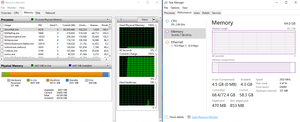
SenseNdr.exe is slowly eating the memory
Hello, For a few days now, we have some Windows Server 2019 physical machines where almot all the memory is commited to sensendr.exe. If you terminate sensendr.exe, the process comes back after...

ProximusAl
Oct 25, 2024Copper Contributor
MarcVDH You do if you cant RDP the machine due to low RAM, and no physical access......exactly like what happened to me....

MarcVDH
Oct 25, 2024Iron Contributor
ProximusAl no remote shell either ? Deploying a script trough Configuration Manager ? (if you use it of course)
- ProximusAlOct 25, 2024Copper ContributorNo....the one time I did get an RDP session, launching Task manager gave a nasty error because it literally had no RAM to launch TM 🙂 Rebooting it from the Azure Console worked a treat though.
- MarcVDHOct 25, 2024Iron Contributor
ProximusAl oh an Azure VM, sorry, I missed that point.
 keithnicholasOct 25, 2024Copper Contributor
ProximusAl you can use the run command in azure to kill the process (Stop-Process -Name "SenseNdr" -Force). If that doesn't work then reboot
- ProximusAlOct 25, 2024Copper ContributorOoooh, that's really helpful. Thanks!