Forum Discussion

Seiun
Aug 23, 2024Copper Contributor
Onboard domain computers by GPO deployment. Policy created by Defender Portal are not deployed
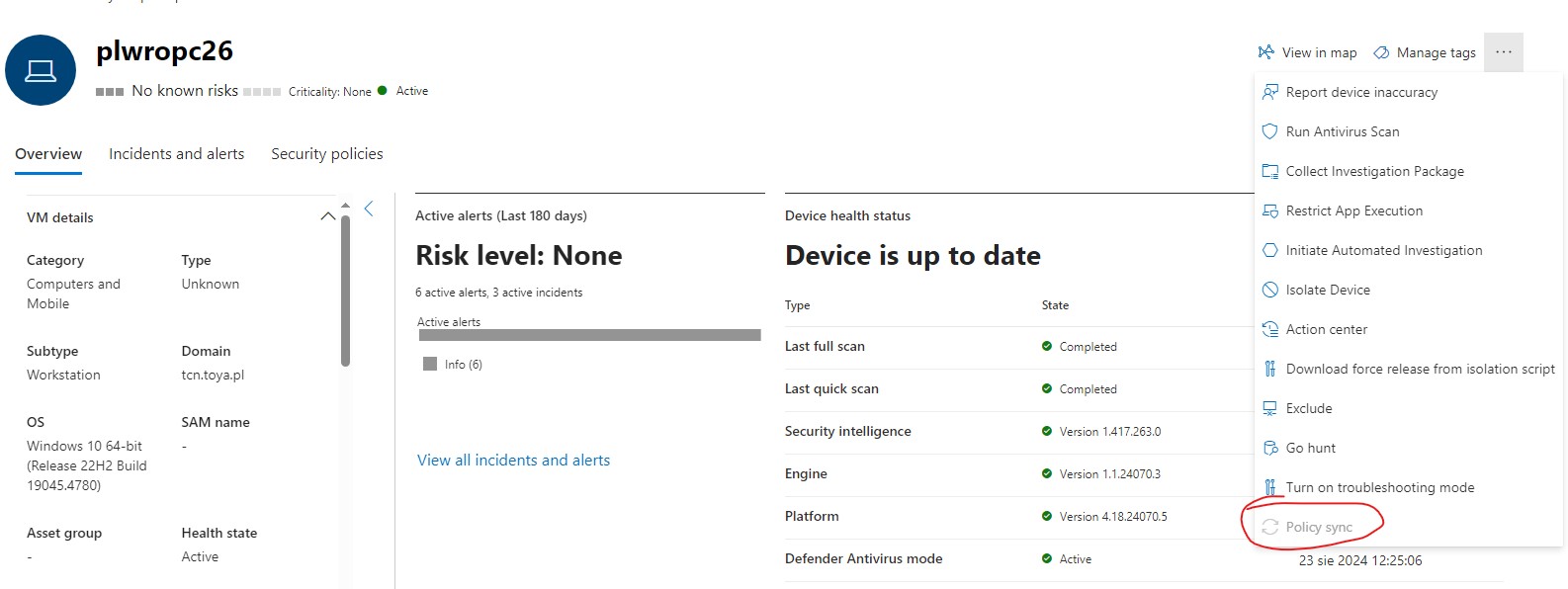
Hi I onboarded computers using Group Policy Deployment and set additional GPO settings described in this document: https://learn.microsoft.com/en-us/defender-endpoint/configure-endpoints-gp Then...



rahuljindal
Aug 23, 2024Bronze Contributor
Have you enabled the MDE connector with Intune? Also, if the devices are not enrolled in Intune then you are looking at enabling security configuration management feature. Have you done that?

Seiun
Aug 26, 2024Copper Contributor
Hi,
I didn't enabled the MDE connector with Intune because we don't have Intune Licencses. Is Intune necessary to configure Defender environment?
I didn't enabled the MDE connector with Intune because we don't have Intune Licencses. Is Intune necessary to configure Defender environment?
- rahuljindalAug 26, 2024Bronze ContributorApologies, I miss read endpoint security profiles being used with Intune. If you are using the profiles in Defender then it is not necessary to connect with Intune. Are the devices reporting onboarded with their sensors active? Have you tried assignments against Defender device groups?
- SeiunAug 26, 2024Copper ContributorHave you tried assignments against Defender device groups? - How. I created Device Group using Defender portal but when I want assign group to Rule I see ony Azure Domain Groups and "All Users" and "All Computers" default groups. I cannot use Defender Device Groups. All computers have status Active,
- Configuration: updated (green mark)
- Real time protection/RTP: Enabled (green mark)
- Behavior monitoring/BM: Enabled (green mark)
So connection between Defender and computers is working.