Forum Discussion

Microsoft Defender Endpoint Security Policies
 Sep 30, 2024
Sound like you want to go the MDE Attach route (https://learn.microsoft.com/en-us/mem/intune/protect/endpoint-security-policy
An Intune license assigned to your admin will make is easier but the following option should work:
- Add the Entra group with your admin(s) to Defender XDR > Settings > Endpoints > Intune permission
- This will create an MDE endpoint security manager assignment to Intune's Endpoint Security Manager role
- You can confirm that this worked by going to Intune > Tenant Admin > Roles > Endpoint Security Manager > Assignments
- https://learn.microsoft.com/en-us/mem/intune/protect/endpoint-security-policy#assign-role-based-access-controls-for-endpoint-security-policy
If you haven't done yet, you'll also need to enable MDE attach (= security config management) for your device groups under Defender XDR > Settings > Endpoints > Enforcement Scope
Also ensure that you have the connector enabled for this to work in Intune (https://learn.microsoft.com/en-us/mem/intune/protect/mde-security-integration#configure-your-tenant-to-support-defender-for-endpoint-security-settings-management)
- Add the Entra group with your admin(s) to Defender XDR > Settings > Endpoints > Intune permission
Do you have any licenses in your tenant that include Intune?

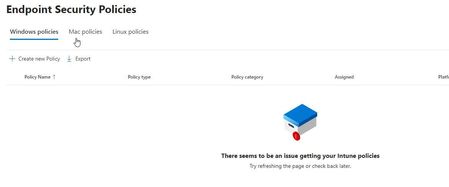
If i go to Intune > Devices > All devices i got error below.
I don't have any license in tenant that include Intune.
If i'm correct i don't need any license to acces to Endpoint security in intune.
- am1357Sep 30, 2024Brass Contributor
Yes, you will need an Intune license for accessing the Endpoint Security node (https://learn.microsoft.com/en-us/mem/intune/protect/endpoint-security#role-based-access-control-requirements).
What's the background/idea on onboarding your devices to MDE and managing policies? Were you planning on doing both with Intune or did you want to go the MDE attach route (security config management)?
- am1357Sep 30, 2024Brass ContributorDefining endpoint security policies means that Intune will be used. Intune will need an Entra ID group where these devices are added so they can receive policies. How did you onboard the devices to MDE?