Forum Discussion

Local Admin rights
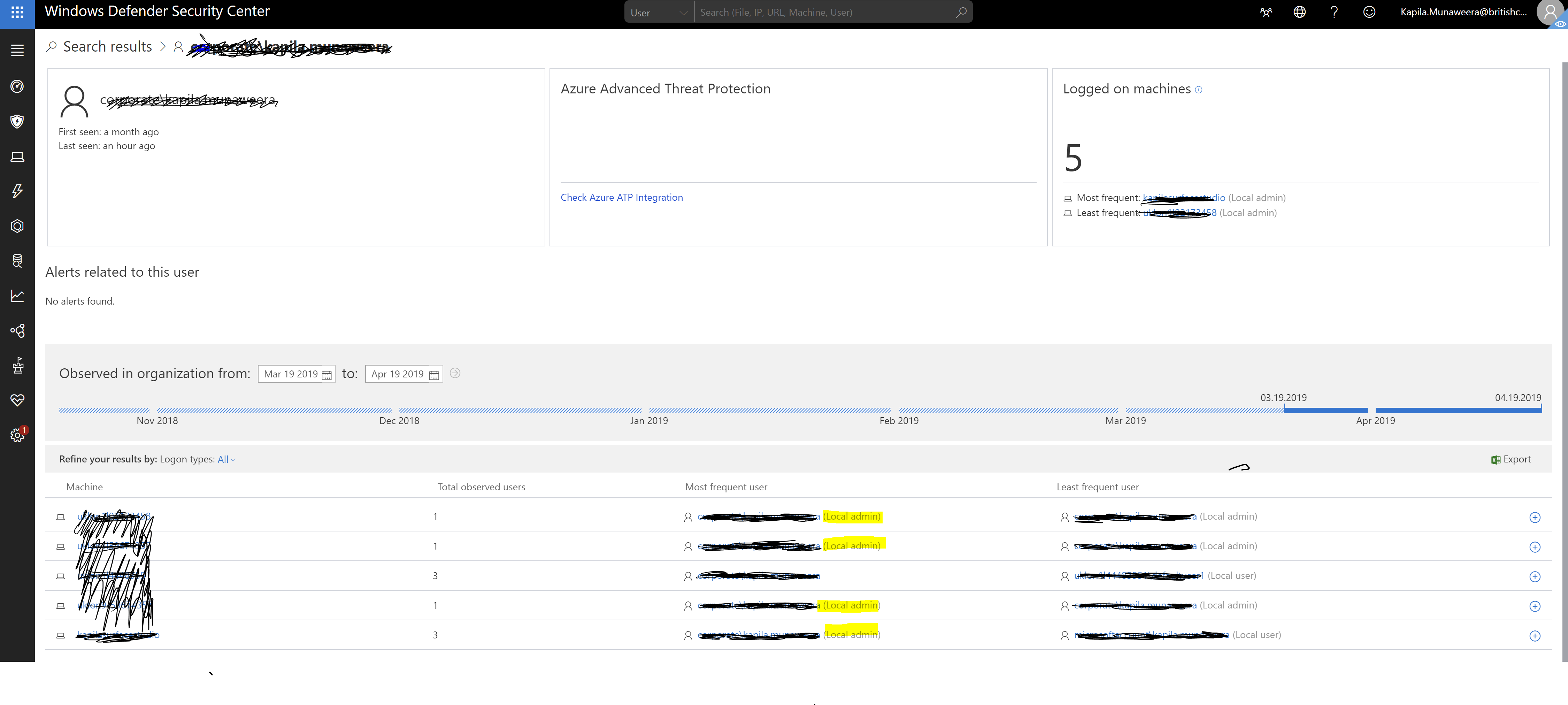
Is there a way to generate a report of users who has access local admin rights on the machines he/she has logged onto?
3 Replies
Hello Kapila Munaweera
Using Advanced hunting you can run the following query to find users who logged on with local admin rights.
// find users that logged on with Local Admin rights.LogonEvents| where IsLocalAdmin == 1| extend locallogon = extractjson("$.IsLocalLogon",AdditionalFields, typeof(string))| project EventTime , ComputerName, AccountDomain, AccountName , LogonType, ActionType, locallogon- StevenMCopper Contributor
The script works to see who has logged in with local admin, but is there a way to see what systems have accounts with local admin. We have 5,800 PCs in ATP, of those I am trying to see where the local admins live and how many machines 1 person has access to. If I can get the raw data out, I can manipulate it in Excel. Thank you Alex.
You can't query that information with MDATP, but if you use ConfigMgr you can use CMPIVOT which also provides the kusto query language and there you can run real time queries against all your devices.
Description Query
List all Active directory user that are administrator of their machine Administrators | where (ObjectClass == 'User') | where (PrincipalSource == 'ActiveDirectory') List on which machine an admin is administrator Administrators | where (Name == 'DOMAIN\\USERNAME') also take a look at this video
Query local Administrators – https://youtu.be/bnZlapKHIh8?t=649
Hope that helps.
There are also plently of blog posts about creating ConfigMgr reports for local administrators.
Hope that helps
Alex