Forum Discussion

unslog
Dec 28, 2024Brass Contributor
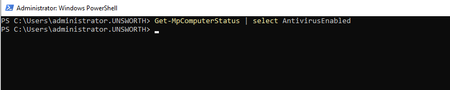
Get-MpComputerStatus output is blank
Hello, We recently transitioned from ESET AV to a solution that uses the Microsoft Defender engine. However, we're encountering an issue where domain-joined VMs running Windows Server 2022 ret...

SnowDev
Jun 26, 2025Copper Contributor
Try reregistering Defender's ProtectionManagement CIM Provider.
Don't know why this randomly occurs but classes such as MSFT_MpComputerStatus (Get-MpComputerStatus) or MSFT_MpPreference (Set-MpPreference) randomly stop reporting / being accessible - even though properties are defined and Defender appears otherwise functional.
I've found this to work on several recent devices ...
Register-CimProvider -ProviderName ProtectionManagement -Namespace root\Microsoft\Windows\Defender -Path <path of ProtectionManagement.dll> -Impersonation True -HostingModel LocalServiceHost -SupportWQL -ForceUpdate
More complete version based on RealtimeProtectionEnabled state found to be missing, with path to DLL path declaration...
$DefenderNamespace = "root\Microsoft\Windows\Defender"
$DefenderClass = "MSFT_MpComputerStatus"

function Get-LatestProtectionManagementDllPath {
    $defenderPlatformPath = Join-Path -Path $env:ProgramData -ChildPath "Microsoft\Windows Defender\Platform"
    $latestVersionDir = Get-ChildItem -Path $defenderPlatformPath -Directory | Sort-Object LastWriteTime -Descending | Select-Object -First 1

    if (-not $latestVersionDir) {
        Write-Error "No version directories found under: $defenderPlatformPath"
        return $null
    }

    $dllPath = Join-Path -Path $latestVersionDir.FullName -ChildPath "ProtectionManagement.dll"
    if (-not (Test-Path $dllPath)) {
        Write-Error "ProtectionManagement.dll not found in: $($latestVersionDir.FullName)"
        return $null
    }

    return $dllPath
}

function Reregister-ProtectionManagementDLL {
    $dllPath = Get-LatestProtectionManagementDllPath
    if (-not $dllPath) {
        return $false
    }

    try {
        Register-CimProvider -ProviderName ProtectionManagement `
                             -Namespace $DefenderNamespace `
                             -Path $dllPath `
                             -Impersonation True `
                             -HostingModel LocalServiceHost `
                             -SupportWQL `
                             -ForceUpdate

        Write-Host "Successfully re-registered ProtectionManagement provider."
        return $true
    } catch {
        Write-Error "Error during provider re-registration: $_"
        return $false
    }
}

function Check-RealtimeProtectionStatus {
    try {
        $status = Get-CimInstance -Namespace $DefenderNamespace -ClassName $DefenderClass -ErrorAction Stop
        switch ($status.RealTimeProtectionEnabled) {
            $true  { return "Running" }
            $false { return "NotRunning" }
            default { return "NotFound" }
        }
    } catch {
        Write-Warning "Unable to retrieve RealTimeProtectionEnabled instance from $DefenderClass in $DefenderNamespace. Exception: $_"
        return "Exception"
    }
}

# --- MAIN  ---

$status = Check-RealtimeProtectionStatus
Write-Host "Current RealTimeProtectionEnabled Status: $status"

if ($status -eq "NotFound" -or $status -eq "Exception")  {
    Write-Host "Attempting to re-register Windows Defender's ProtectionManagement provider..."
    if (-not (Reregister-ProtectionManagementDLL)) {
        Write-Error "Failed to re-register the provider. Exiting."
        #exit 1
    }

    Start-Sleep -Seconds 5
    $status = Check-RealtimeProtectionStatus
    Write-Host "Post-registration RealTimeProtectionEnabled Status: $status"

   if ($status -eq "NotFound" -or $status -eq "Exception")  {
        Write-Error "ERROR: RealTimeProtectionEnabled instance still missing after re-registration."
        #exit 1
    }
}