Forum Discussion

aybuke
Jul 07, 2022Copper Contributor
Create Exclusion
In my institution, I want only 2 devices to use an application and the others to be blocked. First, I created an exclusion group (in this group with two devices attached). I added the application...

HeikeRitter Microsoft
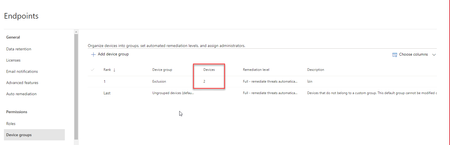
Jul 07, 2022MicrosoftCan you help me understand where you added them to the block or allow list? Screenshot? (feel free to blur as much as you need to not disclose unwanted information)

aybuke
Jul 17, 2022Copper Contributor
Hi HeikeRitter
- HeikeRitterJul 18, 2022So if I understand you correctly, you created a new indicator for a specific file hash, you selected block and remediate as action, and then you defined the scope for this rule for the group you created named "exclusion". This should have created a rule that now blocks that file hash only on those devices in the group "exclusion". Is that what you experience, or does the rule not work at all?
- aybukeJul 18, 2022Copper ContributorWhen I do it this way, it only blocks my exclusion group. So the opposite of what I want.
- HeikeRitterJul 18, 2022Whilst I am checking internally as well (I don't have a way to try it myself right now, so asking colleagues), can you try the following:
create that IOC with "block and remediate" for all devices in your org (select that option in the wizard). Then create another IOC with "allow" as the action and use your "exclusion group".
I am not sure if the block for all will override your allow - but it's worth a test, whilst I am checking with the SMEs 🙂