Forum Discussion

SharePoint Team Site Default Permissions
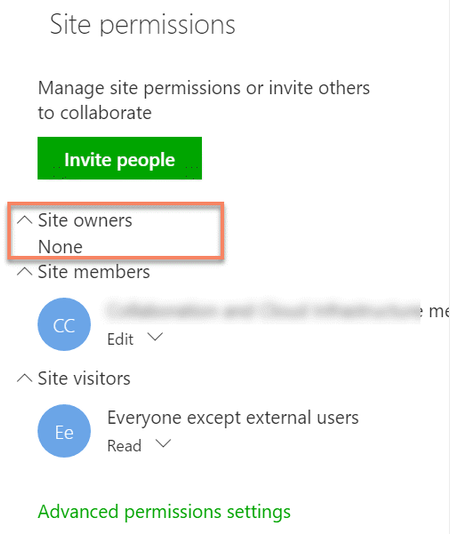

My (strong) advice is to leave alone the Owners and Members groups in the advanced permissions settings of modern team sites. You should act on these default groups only indirectly, through the site pane or the OWA pane.
BTW it is normal that the Owners group is empty and that the Members group contains only the Group for private Groups and also Everyone except external users for public Groups. Once again, my advice is to leave them alone.
To correct the anomalies you describe, you could try to add the correct permissions in the advanced settings.
- KerryLambertApr 26, 2017Iron Contributor
I completely agree that we should leave both the Owners and Members groups alone. They should be managed via Site Permissions and not through Advanced Settings. But....we know that users will get curious and click on Advanced Settings. They'll open the Owners group, see that it's empty and then add their or others names. I've seen them do it.
So how can I properly explain to them that the empty Owners group is normal? :)
And for scenario I described, the permissions are correct in Advanced Settings but for some reason they are not displaying correctly in Site Permmissions.
- Salvatore BiscariApr 26, 2017Silver Contributor
Perhaps saying them that this is the way it works? :-))
About the issue you described, I think you should open a ticket, because that is not normal at all...
