Forum Discussion

Open Office 365 Group site in SharePoint Designer 2013
- Mar 06, 2018
First of all, please make sure you are aware of the latest guidance in customizing and branding modern team sites. Custom Master Pages in modern Team Sites are not supported and you should consider alternative approaches. The latest guidance is described in the article below.
https://docs.microsoft.com/en-us/sharepoint/dev/solution-guidance/modern-experience-customizations-customize-sites
Apart from this, maybe the information in below blog helps to get rid of the error:
http://sharepointdesigner2013-forbidden.blogspot.nl/

First of all, please make sure you are aware of the latest guidance in customizing and branding modern team sites. Custom Master Pages in modern Team Sites are not supported and you should consider alternative approaches. The latest guidance is described in the article below.
https://docs.microsoft.com/en-us/sharepoint/dev/solution-guidance/modern-experience-customizations-customize-sites
Apart from this, maybe the information in below blog helps to get rid of the error:
http://sharepointdesigner2013-forbidden.blogspot.nl/
 akash anandMar 08, 2018Tin ContributorAfter the SharePoint designer service pack 1 installation I was able to connect SharePoint Designer 2013 to Office 365 Group site.
https://www.microsoft.com/en-us/download/details.aspx?id=42009 AGalushkoJan 22, 2021Copper Contributor
akash anand Thank you Akash. You save a lot of my time 🙂 SP1 for SPD 2013 really resolves this issue
 DeletedDec 13, 2018Not applicableIs this working fine and can connect with Group sites and their workflows? I can open other sites which listed in Admin center but not able to get Group sites in SPD 2013.
 Carl_WilliamsDec 28, 2021Iron ContributorI cant open squat.
- akash anandMar 06, 2018Tin ContributorThanks Paul for sharing details information about modern Team Sites.
But still I am unable to open Office 365 group site in SharePoint Designer 2013.
If I opened other team site in same site collection then sites are opened properly in SharePoint Designer 2013.
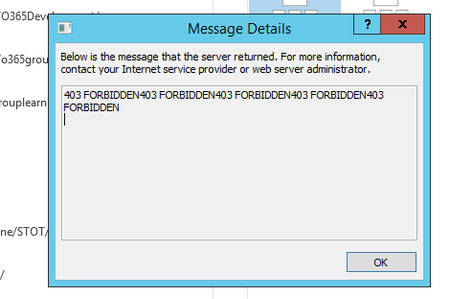
I checked second link. But unable to resolved 403 FORBIDDEN error.I am global administrator of my SharePoint Online site.
Please share any Url or document related to 403 FORBIDDEN error.
Thanks,
Akash - Mar 06, 2018Paul is absolutely correct here...the way to customize SPO in general has to be done avoiding to customize master pages using Designer or any other tool
