Forum Discussion

Pooya Obbohat
Jan 24, 2018Iron Contributor
Issues adding guest members to O365 Groups
I'm testing external access in Office 365 groups and experiencing some issues.
First time I tested this the guest accounts received the email, but they didn't have access to the O365 Group aft...
- Jan 24, 2018In regards of your last questions:
- An external user is not going to access to Group conversations. He / She can only access to the Group files and participate in conversations by means of e-mail
- An external user is a guest in your tenant, so he/she is not supposed to have access to the App Launcher

Jan 24, 2018
In regards of your last questions:
- An external user is not going to access to Group conversations. He / She can only access to the Group files and participate in conversations by means of e-mail
- An external user is a guest in your tenant, so he/she is not supposed to have access to the App Launcher
- An external user is not going to access to Group conversations. He / She can only access to the Group files and participate in conversations by means of e-mail
- An external user is a guest in your tenant, so he/she is not supposed to have access to the App Launcher

Pooya Obbohat
Jan 24, 2018Iron Contributor
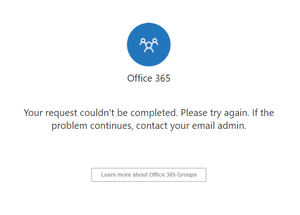
Thanks. Surprised that it's not showing the app launcher. I get to see it when accessing a Yammer External Network. Why not add it here as well? Understand now that they expect guests to bookmark the link or find the email to reach the files, which isn't very convenient. It shows up in the Groups overview and then disappears. This is why I thought it wasn't working correctly. They should at least remove the link to conversations from the SharePoint Site. It's only confusing and it gives me different types of errors:
- Your request can't be completed right now, please try again later (inviting O365 account)
- Something went wrong. You don't have a mailbox or missing license
I'll share my feedback via uservoice.