Forum Discussion

BizTalk 2020 WCF-OracleDB adapter Error
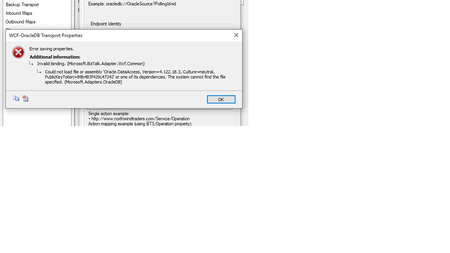

harik98 Don't use regular VS cmd to GAC the dlls. You should install dll with: oraprovcfg.exe /action:gac /providerpath:Oracle.DataAccess.dll that supplies to put dll in gac and change machine.config.

 Microsoft
NareshDevalla harik98 If you use install.bat the 5th parameter should do the GAC + machine.config also if you set true for this parameter.
--------
Install.bat
COMPONENT_NAME: (Required) ODAC component to install and configure. Values: ODPM (Managed ODP.NET), ODP.NET4 (Unmanaged ODP.NET), ORAMTS (Oracle Services for MTS), etc., or ALL (all components).
ORACLE_HOME_PATH: (Required) Directory to install ODAC into. Be mindful if installing to a protected Windows directory, such as C:\Users\<USER NAME>. These directories may have permission restrictions for who can run and which apps can be run.
ORACLE_HOME_NAME: (Required) Unique Oracle Home name.
INSTALL_DEPENDENTS: (Optional) When set to true, the script installs any dependencies the components require. Default value is true.
MACHINE_WIDE_CONFIGURATION: (Optional) When set to true, the script will configure ODP.NET for machine-wide default use. It makes global changes to the machine's .NET setup, including placing the provider assembly into the Global Assembly Cache (GAC) and updating the <i>machine.config</i> with configuration section handler and DbProviderFactory information. This parameter only works for ODPM (Managed Driver for .NET Framework 4) and ODP.NET4 (Unmanaged Driver for .NET Framework 4). Default is false.
TNS_ADMIN_LOCATION: (Optional) Directory that ODAC finds tnsnames.ora and/or sqlnet.ora configuration files. This setting is made in the Windows Registry.