Forum Discussion

SQL Server installer unable to download the required files
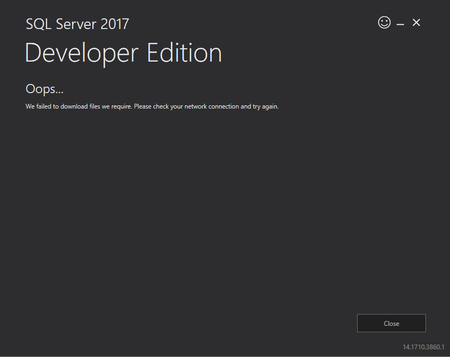

Hello,
I will tell you step by step.
Go to your 'Search tab' on your Windows. Open as 'administrator' 'Windows PowerShell'. You will see a blue screen whit PS C:\Windows\system32> writing in it.
1- Copy this and klik on enter
Set-ItemProperty -Path 'HKLM:\SOFTWARE\Wow6432Node\Microsoft\.NetFramework\v4.0.30319' -Name 'SchUseStrongCrypto' -Value '1' -Type Dword
2- Copy this and klik on enter
Set-ItemProperty -Path 'HKLM:\SOFTWARE\Microsoft\.NetFramework\v4.0.30319' -Name 'SchUseStrongCrypto' -Value '1' -Type Dword
And now you can download 'SQLServer2019'

hi Fatih_TR
i use your code for SQL Express
but it still no worked with my pc
hope you reply me
- FrankCtbaApr 20, 2022Copper ContributorThe same for me. Still not working. I am using Win 11 Pro (ARM Processor)
- Fatih_TRApr 20, 2022Copper Contributor
Hello, i dont no what the problem could be. Because im using windows 10 pro.
i had heard from friends that not everyrhing works great on win11
- FrankCtbaApr 20, 2022Copper Contributorok, actually I was trying to install Express edition. After downloading Developer edition, it worked for me. But now I am getting new errors during the install process.
Thanks!