Forum Discussion

Logging in to network.office.com
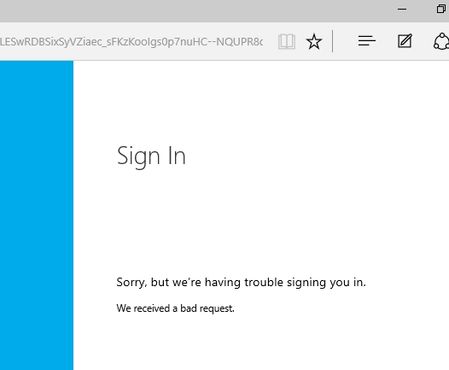
- Sep 14, 2016
Hi Rik Holmes we have seen others not able to sign in with their Org ID. This may be an issue with your Office 365/AzureAD administrator not allowing your business credentials to be used with applications. Your admin would need to change the permissions on your access of Office 365 apps/Azure AD apps – or you can simply use your Microsoft Account (MSA) e.g. an Outlook.com email address.


We haven't seen this issue, but thank you for flagging. CC MichaelHolste

Lana O'Brien I try not to tag you but you always know the answer or where to find it!! So, here goes - my issue is slightly linked to this login query.
I signed into this community via Edge a while ago - all good. More recently, and after having to clear out cookies and history, I can only sign into this account via Chrome (it shows my pic, my communities, my posts) and when I sign in via Edge, it says I'm signing in with same O365 account login but takes me to a new profile that has nothing in it! WT?
This has been happening consistently for at least the past week (maybe longer). And I think I've even cleared the cookies and history a second time to see if that fixed it and it didn't!
Where do I go to ask for help with this or who should I tell??
- AnnaChuSep 14, 2016Former Employee
LizP1 Sorry to hear this is your experience but we can see there is one account associated to your work credentials and another possibly to your personal account. You mentioned you logged in with your O365 credentials each time so unsure why that is the case. Can you PM Lana O'Brien and she'll be able to help you out. If you share the URL of both your profiles that would be helpful.
- LizP1Sep 15, 2016Iron Contributor
Thanks AnnaChu ! I'll PM Lana O'Brien as soon as I work out how to PM in this space :womanlol:
- AnnaChuSep 19, 2016Former Employee
LizP1 You can find instructions on how to PM in the 'Getting Started' Guide here: https://techcommunity.microsoft.com/t5/Getting-Started/Getting-Started-Guide/m-p/6631#M11
It is rather long but we are planning to break up this guide into shorter posts. In this meantime you can find the info here.
- Rik HolmesSep 14, 2016Iron Contributor
Hi Anna,
Thanks for that. I've traced the issue down to the Office 365 Admin (New) > settings > services and add-ins > Integrated Apps setting in our organisation - it was set to "off". I believe that our security team had requested this at the start of the Office 365 migration and it had never been revisited.
I have now set the Integrated Apps setting to "on" and can log in without issue.
Many thanks!
