Forum Discussion

cs02
Apr 30, 2026Copper Contributor
Can't remove external presenter in Microsoft Teams Webinar
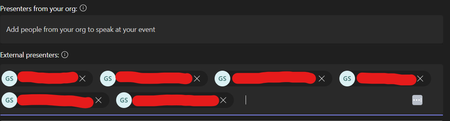
Hello, I am trying to remove some external presenters from my Microsoft Teams webinar, but clicking the 'X' button - which normally works - is not removing them. It is likely worth noting...

May 02, 2026
hi cs02 This sounds like a sync/UI issue rather than something you're doing wrong, especially since the duplicated external presenters are the ones that cannot be removed.
A few things worth trying:
- Open the webinar from Teams calendar -> Edit event instead of the webinar management page
- Remove the presenters there and save again
- Try updating the webinar from Outlook on the web as well
- Clear Teams cache or try an InPrivate/incognito browser session
Sometimes duplicate external attendees/presenters get "stuck" due to backend sync issues between Teams and the calendar object.
If none of that works, the fastest workaround is often:
- Create a new webinar
- Re-add the correct presenters manually
Unfortunately, duplicated presenter entries in Teams webinars are a known type of issue people occasionally run into.