Forum Discussion

joellopez
Jun 13, 2021Copper Contributor
WVDCheckpoints table, how do I find out what server the user was on when entry made?
Hi, I'm trying to debug an mystery slowness issue that is happening on random servers. The resources are all ok but the user experience is really slow for all users on the server. After restart...

joellopez
Jun 13, 2021Copper Contributor
I think I may have found my solution on this page:
https://blog.itprocloud.de/Windows-Virtual-Desktop-Monitoring-the-Spring-backend/
I just had to modify it a bit to add the filter by the host name and add the client IP.
WVDConnections
| where Type =~"WVDConnections" and State =~ "Started"
| extend Multi=split(_ResourceId, "/") | project ResourceAlias, ClientSideIPAddress, HostPool=toupper(HP=Multi[8]), SessionHostName , UserName ,CState=iff(SessionHostOSVersion=="<>","Failure","Success"), CorrelationId, TimeGenerated, ResourceGroup=Multi[4], DesktopGroup_s=toupper(strcat(RG=Multi[4],".", HP=Multi[8]))
| join kind= leftouter (
WVDCheckpoints
) on CorrelationId
| extend DurationFromLogon=datetime_diff("Second",TimeGenerated1,TimeGenerated)
| where Name=~"RdpStackLogon"
| where SessionHostName contains "hp1-1"
| project UserName, ClientSideIPAddress, SessionHost=SessionHostName, TimeStamp=TimeGenerated1, DurationFromLogon
| order by SessionHost, TimeStamp desc
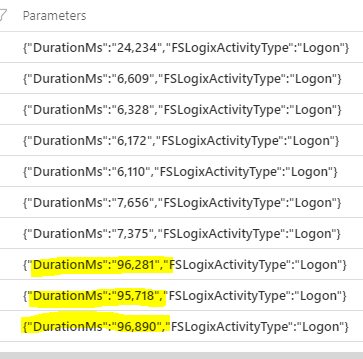
This will give me the login times and duration of the users on a server so I can find out when started getting slow. Here you can see how it improved after we rebooted it.
Now that I know what day it started I have to figure out where to look next to find out what is causing it. If you have any ideas please share. I'm pretty new at this.
In the mean time if you have any tips on how to set up an alert when logins take more than 20 seconds I'd also appreciate it.

lukemurraynz
Jun 13, 2021Learn Expert
For the alerts, based on the query you have, you should see a:
+ New Alert Rule - hopefully, that allows you to configure the alert.
https://docs.microsoft.com/en-us/azure/azure-monitor/alerts/alerts-log
Server performance, can be caused by a multitude of things, but would look at:
Antivirus (exclusions, scheduled scan times, setup etc).
Is MS Teams running in WVD Optimized?
Has the OS been optimized? - https://github.com/The-Virtual-Desktop-Team/Virtual-Desktop-Optimization-Tool
Are there disconnected sessions taking up resources? http://woshub.com/remote-desktop-session-time-limit/
Good luck!
+ New Alert Rule - hopefully, that allows you to configure the alert.
https://docs.microsoft.com/en-us/azure/azure-monitor/alerts/alerts-log
Server performance, can be caused by a multitude of things, but would look at:
Antivirus (exclusions, scheduled scan times, setup etc).
Is MS Teams running in WVD Optimized?
Has the OS been optimized? - https://github.com/The-Virtual-Desktop-Team/Virtual-Desktop-Optimization-Tool
Are there disconnected sessions taking up resources? http://woshub.com/remote-desktop-session-time-limit/
Good luck!