Forum Discussion

TardigradeX
Aug 05, 2019Copper Contributor
Application Gateway Logs not shown in Azure Log Analytics
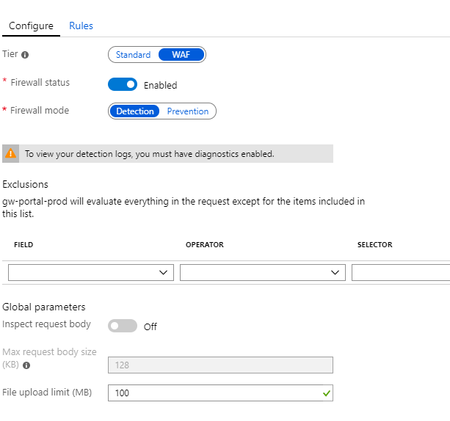
Hello, I have an Application Gateway, with WAF enabled and set to detection mode: I want to show and query "ApplicationGatewayAccessLog", "ApplicationGatewayPerformanceLog" and "Applicatio...

John_McCash
Jan 06, 2020Copper Contributor
Meir_MendelovichThanks very much! This does indeed appear to be the problem I'm seeing. It was complicated by the fact that some of my workspaces have this set one way, and others have it set differently. Can you answer a couple of quick followup questions for me?
- Is there a way, from a virtual machine configuration page, to tell which (if any) Log Analytics Workspace that VM is sending its logs to? I thought earlier that I'd seen this as an item in either the Overview or Security tabs, but I can no longer find it.
- Does setting the Access control mode to "Use resource or workspace permissions" mean that a VM owner, who doesn't otherwise have access to the Log Analytics Workspace that VM is reporting to, would then be able to read the logs from other hosts reporting to the same LAW?
Thanks again!
John

Meir_Mendelovich Microsoft
Jan 06, 2020MicrosoftHi John,
Happy to help. Here are answers to your follow up questions:
1. There is a property called "Tenant" in many tables (e.g. Heartbeat) that include the workspace GUID. We are thinking on providing better tools to map stuff.
2. In the case you are describing, the user will be able to access only logs of resources where he has Read access to. If he has access to a VM, he can read the logs. If he doesn't have access, he won't be able to read the logs even if they are on the same workspace.
Happy to help. Here are answers to your follow up questions:
1. There is a property called "Tenant" in many tables (e.g. Heartbeat) that include the workspace GUID. We are thinking on providing better tools to map stuff.
2. In the case you are describing, the user will be able to access only logs of resources where he has Read access to. If he has access to a VM, he can read the logs. If he doesn't have access, he won't be able to read the logs even if they are on the same workspace.
- John_McCashJan 07, 2020Copper Contributor... OK... I just looked at the TenantId in my Heartbeat logs. It appears to just be the GUID assigned to the Tenant. It doesn't match any of my Log Analytics Workspace GUIDs. Am I just terminally confused?
- John_McCashJan 07, 2020Copper Contributor
Meir_MendelovichAh! OK. Thanks very much again.
- Meir_MendelovichJan 07, 2020You need to open the "Logs" page for this VM and run a query like "Heartbeat | take 10" or "Heartbeat | distinct TenantId".
- John_McCashJan 07, 2020Copper Contributor
Meir_MendelovichSorry; I hate looking like a complete noob, but I don't see anyplace in the page for the virtual machine where either Heartbeat or Tenant shows up... Is it supposed to be in the Security tab? I can't load that right now because of some problem with the tenant (I think). The message I'm getting currently reads:
columnNumber: 55 fileName: <a href="https://portal.azure.com/Content/Dynamic/lN9nxus-UgR8.js" target="_blank">https://portal.azure.com/Content/Dynamic/lN9nxus-UgR8.js</a> line 54 > Function lineNumber: 3 message: Unable to process binding "if: function(){return showAgentCampaignBar() }" Message: showAgentCampaignBar is not definedThanks
John