Forum Discussion

Find requests source - ASP.NET Apps v4.0.30319\Request/sec

Is this data in the Office table?
OfficeActivity
| where OfficeWorkload == "SharePoint"  BartKosSep 02, 2019Copper Contributor
Hello CliveWatson
Here is a query I am using to get avg requests:
Perf
| where ( ObjectName == "ASP.NET Apps v4.0.30319" )
| where CounterName == "Requests/Sec"
| where TimeGenerated> ago(15m)
| project TimeGenerated, Computer, RPS=CounterValue
| summarize AvgRpsLast15Minutes= avg(RPS) by Computer
| where AvgRpsLast15Minutes > 10
I am monitoring those request to SharePoint Servers (SHP2013 on WindowsServer 2012R2).
I do not have Office in my LogManagement so I got syntax error for the query you suggested to check.
- CliveWatsonSep 02, 2019Former Employee
Hi BartKos
We now have two crucial pieces of info, you are using the PERF table and RPS is a column you have defined that maps to "Request/Sec".
Your query if you don't run the final line, will show which computers have the spikes. I would probably look to the Events table (if you have it) and also check any system updates on those computers to see if a patch or change caused the spike.You could use a query like this to see when the spikes first started or if there is a pattern (i.e. always on a Monday at 9am etc...)
Perf
| where TimeGenerated > ago(7d)
| where Computer in ("App04","App05")  // add in your computer names
| where ObjectName == "Processor"
| where CounterName == "% Processor Time" and InstanceName == "_Total"
| project TimeGenerated, Computer, RPS=CounterValue
| summarize AvgRpsLast15Minutes= avg(RPS) by bin(TimeGenerated, 1h), Computer
Test my query in the demo portal, just click:
Go to Log Analytics and Run Query
Note: I've used Processor/CPU data as I don't have any asp.net, so please adjust lines 4 and 5- BartKosSep 02, 2019Copper Contributor
Hello CliveWatson
I have used your query ( I just changed time bin to 15 minutes)
Perf
| where ( ObjectName == "ASP.NET Apps v4.0.30319" )
| where CounterName == "Requests/Sec"
| project TimeGenerated, Computer, RPS=CounterValue
| summarize AvgRpsLast15Minutes= avg(RPS) by bin(TimeGenerated, 15m), Computer
| where AvgRpsLast15Minutes > 10
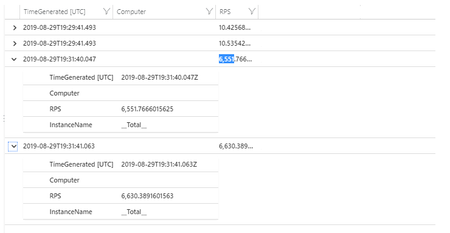
I have got below result (for last 48h):
I have checked Event tab for entries in the time of the occurrence of the one of spikes(nothing suspicious in my opinion which may cause such amount of requests), below results:
I have not noticed any patterns for last 7 days.
Is there a possibility to check the source or details of all the requests from the spike like IP address or maybe the name of the internal process or computer name? I know there are hundreds of req/s and it will require some digging but I would like to determine if there is some attack from outside (SharePoint app is dedicated for public users) or it is just some internal issue.