Forum Discussion

Azure VMs host (platform) metrics (not guest metrics) to the log analytics workspace ?
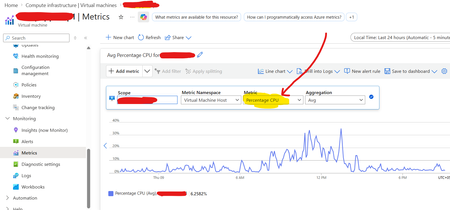

You want host-level VM metrics such as CPU, disk, and network for about 500 machines in Log Analytics without guest monitoring. Platform metrics are collected automatically in Azure Monitor Metrics; the guest-monitoring prompt is a different path. Use Metrics Export with a data collection rule. In Azure Monitor, create a DCR with Platform telemetry, select the required VM metrics, choose the Log Analytics workspace, then associate the 500 VMs. Keep the DCR and workspace in the same region; monitored VMs may be elsewhere. New records land in AzureMetricsV2, normally within minutes, although initial appearance can take longer. Use Azure Policy or infrastructure-as-code to maintain associations as VMs are added. This exports new metrics only, not historical data. For historical cross-resource queries, use the Metrics Batch API. Azure Monitor Agent is not required for this platform-metrics route.