Forum Discussion

Application Gateway Logs not shown in Azure Log Analytics

How long did you wait between between enabling and running the query (your queries look good, some other examples here: https://blogs.technet.microsoft.com/robdavies/2017/12/29/monitoring-application-gateway-with-azure-log-analytics/ )? Is this an active WAF with data that will generate log entries?
This will show what (if any) categories you have
AzureDiagnostics
| summarize by Category
You should also see AzureDiagnostics in the schema, if you don't no data has been sent (or was blocked)
You can test queries (in the meantime) in the demo portal: Go to Log Analytics and Run Query
 TardigradeXAug 05, 2019Copper Contributor
Thank you for your response.
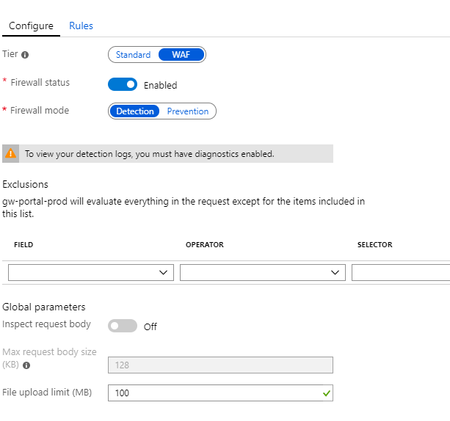
Yes, the WAF is active and Logging is enabled since 3-4 hours now.
I can see AzureDiagnostics in the schema, but every query to this table throws an error as if it does not exist.
You can see everything here, where I tried the category query you suggested:
- CliveWatsonAug 05, 2019Former Employee
If you have full access to that schema Table (can someone else try)? Can you see other tables and query them under LogManagement - like Alert or AzureActivity? Is table level RBAC set (however if it was that I would expect a different message)?
https://docs.microsoft.com/en-us/azure/azure-monitor/platform/manage-access
You might need to "copy request id to clipboard" and raise a support ticket - unless anyone else has an idea?
- TardigradeXAug 06, 2019Copper Contributor
I opened a support ticket and with their help I was able to solve the problem.
I had to go to the Log Analytics Workspace, to which I configured the application gateway to send its log too. There I could query for the logs and all tables were in place.
What I did before was going to: "Application Gateway Resource -> Monitoring -> log"
The log there is empty and missing tables and is not connected to the Log Analytics Workspace I created on the gateway resource.
This is a kind of confusing UI design, but now I know how to access/query the log.
Thanks again for your input.