Forum Discussion

Monitor a Hybrid computer shutdown in Azure Arc
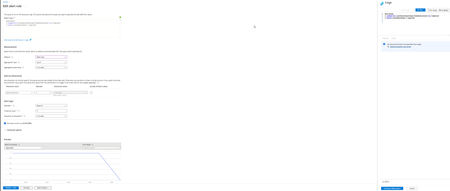

If your intention is to alert when an Arc-enabled machine stops reporting, I would base the rule on missing Azure Monitor Agent heartbeat data, rather than interpreting an empty query result as an error by itself.
First verify that the machine currently sends heartbeat records:
Heartbeat
| where Category == "Azure Monitor Agent"
| where Computer == "<computer-name>"
| order by TimeGenerated desc
| take 10
Microsoft recommends this exact type of heartbeat check when troubleshooting AMA on Arc-enabled servers.
For the alert you could use:
Heartbeat
| where TimeGenerated > ago(24h)
| where Category == "Azure Monitor Agent"
| where Computer == "<computer-name>"
| summarize LastHeartbeat=max(TimeGenerated)
| extend MinutesSinceLastHeartbeat =
datetime_diff("minute", now(), LastHeartbeat)
| where MinutesSinceLastHeartbeat > 10
Then configure the alert to trigger when number of results > 0.
Heartbeat records are normally generated regularly and Microsoft's sample queries also use the last received heartbeat to establish agent availability.
One important distinction: this detects loss of monitoring connectivity, which could mean shutdown, network failure or AMA failure. It doesn't by itself prove the operating system was intentionally shut down.