Forum Discussion

Gated Build does not perform merge
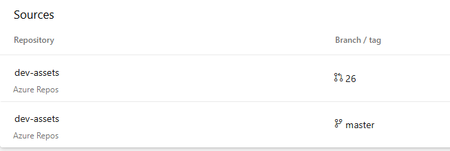

Would suggest:
- Ensure Build Validation Is Set Up on the Target Branch
- Go to Repos > Branches > master > Branch Policies
- Under Build Validation, add your pipeline and make sure:
- Trigger on pull request is enabled
- Policy requirement is set to “Required”
- Build expires after is reasonable (e.g., 24 hours)
This ensures the build runs on the merged PR commit, not just the master.
- Check Your YAML Trigger Settings
In your pipeline YAML, make sure you have:
trigger:
  branches:
    exclude:
      - "*"

pr:
  branches:
    include:
      - master
This disables CI builds and enables PR builds only when merging into master.
- Use System.PullRequest.SourceBranch and System.PullRequest.TargetBranch
These variables help you confirm the build is running in the PR context. You can log them in your pipeline to verify:
steps:
- script: |
    echo "Source: $(System.PullRequest.SourceBranch)"
    echo "Target: $(System.PullRequest.TargetBranch)"
- Avoid Classic Pipelines for PR Validation
If you're using classic pipelines, they may not handle PR merge commits properly. YAML pipelines are more reliable for gated builds.

Thanks for your suggestion.
The problem turned out to be that I had the trigger code below in the yaml file that belong to validation pipeline which only cause the build to run on the master branch. When removed it, it properly merged the 2 branch and ran the build on that.
In the end I created 2 yml files - one for the build validation pipeline without this code and one for my master branch build pipline with this trigger
trigger:
branches:
include:
- master