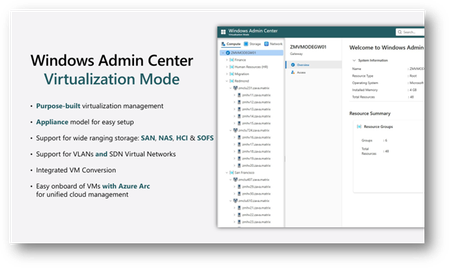
We are introducing a new Virtualization Mode (vMode) in the latest Windows Admin Center Public Preview.
Updated Nov 18, 2025
Version 1.0
WSNewsAdmin Microsoft
MicrosoftMicrosoftMicrosoft
I got it installed and working; however, when trying Windows Server 2022 on Server Core, it didn't like it due to it not being Server 2025 or later, so I had to change infrastructure to Server 2025 desktop experience as Server Core 2025 encountered Hyper-V issues (that's for another post).
In-place upgrades failed on every server core or GUI from 2022 to 2025, so I had issues. So, I built completely new VMs in 2025 and then rebuilt systems 1 by 1.
I would say from experience that server 2025 is a major difference in architecture and I have just finished rebuilding all servers to server 2025 and decommissioning all server 2022; as it just doesn't play nice with others, yes, a major update however needs must, especially for Azure Local, WAC Vmode and WAC going forward so I just took the bullet and migrated.
Now my question: as I have 2x 10G NICs, one is a Hyper-V switch, and the other is for server management. I am making the current Hyper-V switch E12 compute-storage and E11 compute-mgmt. Is that the same as what I currently have? I do have another 10G Dual card I can use if needed, so what's the best solution to replicate what I have now and hopefully not break access to my VMs and host
I assume that Compute-Storage is managing Hyper-V VMs and Storage, and Compute-mgmt is the Hyper-V GUI for managing it?