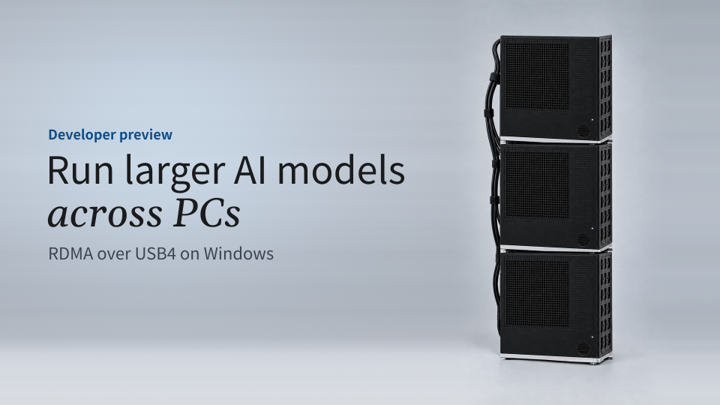
A developer preview that connects Windows PCs over USB4® so a compatible inference framework can run one model across their combined memory and GPU compute, using NetworkDirect, the same API Windows uses with datacenter RDMA adapters
Many of today's most capable open weight AI models don't fit in a typical PC's memory. When a model is too big for one machine, the usual options are to shrink it, send the work to the cloud, or build a server-class cluster with specialized networking hardware.
Today we're announcing a developer preview of RDMA over USB4® on Windows. Connect two or more USB4-capable Windows PCs with USB4 cables, and you can split one model across them, combining their memory and GPU compute. There's no RDMA network adapter to buy, no switch to configure, and no third-party driver to install.
It's part of building Windows for hybrid intelligence, where AI work runs on your PC or in the cloud, wherever it fits best. RDMA over USB4 extends what you can run locally, from one PC to a small cluster on your desk.
At a glance:
- Run models that don't fit on one PC. Split one model across two or more PCs connected with USB4 cables, and use their combined memory and GPU compute.
- Keep the RDMA API you know. Applications use NetworkDirect, the RDMA API Windows already uses with datacenter network adapters.
- Build on open source. A new NetworkDirect provider for USB4 and a llama.cpp-based testbed are open source.
- Developer preview coming soon. The developer preview is coming soon to Windows Insiders in the Experimental channel (Future Platforms).
Table of Contents
Why RDMA, and why USB4®
Remote Direct Memory Access (RDMA) moves data directly between the memory of two systems, bypassing most of the traditional networking stack. That gives low latency and low CPU overhead, which is why RDMA is a staple of datacenter storage and distributed computing.
Windows has supported RDMA for years through NetworkDirect , a transport-agnostic RDMA interface, but until now only with dedicated RDMA network adapters for Ethernet and InfiniBand today. Those adapters are built mainly for servers and are rarely found in consumer or developer PCs. Meanwhile, many of today's widely available AI PCs already have USB4® ports, and Windows 11 already supports host-to-host networking over USB4 through its in-box USB4® connection manager. Many Windows PCs already offer USB4-capable connectivity through Thunderbolt™ 4 and Thunderbolt™ 5 ports. Systems meeting the preview requirements can participate.
When you split a model across PCs with tensor parallelism, the PCs exchange data many times for every token they generate. At that point latency, more than bandwidth, sets the pace. In our measurements between two PCs, RDMA over USB4® cut round-trip latency for small messages to about 28–50 µs, roughly 4x lower than Ethernet (UDP) over the same USB4® link. RDMA brings communication latency down to the same low level at both 40 Gbps and 80 Gbps, while 80 Gbps provides twice the bandwidth.
Figure 1. Round-trip latency by message size, RDMA compared with Ethernet over the same USB4® link (lower is better).
What's in the developer preview
- RDMA over USB4® transport. Updated in-box USB4 drivers plus a NetworkDirect provider, so applications use the standard Windows NetworkDirect API with a new NetworkDirect provider for USB4. The provider, samples and link-test tools are open source and available here: https://aka.ms/usb4-rdma-nd-provider
- Preview hardware. USB4-capable PCs meeting the preview requirements (see What you need) can set up an RDMA-based peer-to-peer link.*
- An inference testbed. A fork of llama.cpp whose RPC backend runs over NetworkDirect instead of TCP, with tensor-parallel changes that split a model across PCs. We chose llama.cpp to demonstrate the preview, and we expect other frameworks to be able to adopt the same NetworkDirect APIs. You can find this code here: https://aka.ms/usb4-rdma-llama-cpp-sample
- Windows Insider Program, Experimental Channel (Future Platforms) Build with RDMA support, coming soon. This blog will be updated in coming weeks once available. RDMA over USB4 is off by default; you turn it on with a registry key and test signing (see Get started).
* For the best performance, use PCs with USB4 ports at 40 Gbps or faster, enough ports to connect every PC directly, and plenty of unified memory, memory bandwidth and GPU compute. We've tested the preview on select PCs with AMD Ryzen™ AI Max series processors, in clusters of up to three PCs, and on Intel® Core™ Ultra Series 3 processor-based PCs with Thunderbolt™ 4 connectivity in clusters of up to four PCs. These are the platforms we've tested so far, not the only ones that work.
How it works
USB4® can link two PCs directly as separate domains, the same host-to-host connection Windows already uses for USB4 networking. RDMA over USB4 builds a faster path on that foundation:
- The Windows USB4 connection manager sets up a peer-to-peer tunnel between each pair of PCs.
- A new RDMA provider implements RDMA in software on the USB4 host router's DMA rings. It maps RDMA operations such as send and receive, with their queues and completions, onto those rings, so data moves between registered memory regions without extra software copies.
- Each RDMA link uses two pairs of high-performance DMA rings, one for data and one for control. The number of rings and USB4 ports on your PC sets the limit for the largest cluster you can build.
- Applications reach it through NetworkDirect, so a framework that speaks NetworkDirect doesn't need to know it's running over USB4.
- Links run on USB4 ports managed by Windows with Kernel DMA Protection.
Figure 2. The RDMA over USB4® stack on Windows
Early results
For the demonstrated workloads, the transport is no longer the bottleneck. Results depend on the model, the framework build and each platform's memory and GPU. Here's what some of our silicon partners are seeing with their configurations on our preview. Models shown are examples only; any model can be used.
AMD Ryzen™ AI Max
In our lab, with AMD's latest llama.cpp optimizations, three mini-PCs with AMD Ryzen™ AI Max processors, Radeon™ 8060S graphics and 128 GB of unified memory each, connected in a USB4® 40 Gbps full mesh, run Qwen3-235B-A22B, a 235-billion-parameter mixture-of-experts model, at about 18.5 tokens per second with 4-bit quantization. On its own three-PC setup, AMD has measured 21.98 tokens per second decode and 117.98 tokens per second prompt processing.
Table 1. RDMA over USB4® on three mini PCs with AMD Ryzen™ AI Max+ 395 processors.
|
Measured by |
Model and quantization |
Context depth / generated tokens |
Decode speed |
Prompt processing |
|
AMD |
Qwen3-235B-A22B, 4-bit (Q4_K_M) |
1,600 / 2,048 |
21.98 tokens/s |
117.98 tokens/s |
"At AMD, we believe clustering is a critical part in a developer's experience to unlocking new possibilities for local AI and high-performance compute. We're excited to be working alongside Microsoft to support their new RDMA over USB4 driver to enhance the experience."
- Andrej Zdravkovic, Senior Vice President and Chief Software Officer, AMD
Intel® Core™ Ultra Series 3
Intel has measured GPT-OSS-120B, an open-weight model with about 120 billion parameters that doesn't fit in a single 64 GB PC, on three and four Intel® Core™ Ultra Series 3 processor-based PCs with Thunderbolt™ 4 connectivity and 64 GB of memory at 9,600 MT/s each, connected in a full USB4® mesh. With three PCs, it generates about 49 tokens per second at a 1K-token context, and about 54 tokens per second with four.
Table 2. RDMA over USB4® on three and four PCs with Intel Core Ultra Series 3 processors running GPT-OSS-120B, as measured by Intel
| PCs | Context | Time to first token | Decode speed |
|---|---|---|---|
| 3 | 1K | 1.1 s | 49.4 tokens/s |
| 4 | 1K | 1.2 s | 54.2 tokens/s |
| 3 | 2K | 2.9 s | 49.4 tokens/s |
| 4 | 2K | 3.2 s | 51.7 tokens/s |
The RDMA over USB4 layers are doing their job. Further performance improvements depend on the model, framework, platform and communication pattern. That's work we want to do in the open with the community, which is why the preview ships with a testbed you can build on. Intel's llama.cpp implementation, optimized for Intel platforms and built on the Vulkan backend, is available on GitHub.
What you need
- Two or more USB4-capable Windows PCs with USB4 ports managed by Windows. 40 Gbps ports work; 80 Gbps ports, such as Thunderbolt™ 5, offer twice the nominal link rate, which can help bandwidth-heavy workloads such as long-context prompts.
- Enough USB4 ports: to connect N PCs, each PC needs N-1 USB4 ports. A three-PC cluster needs two ports on each PC.
- One USB4 cable for every pair of PCs, connected directly. Don't daisy-chain: performance drops sharply.
- Enough unified memory, memory bandwidth and GPU compute across the cluster for the model you want to run. The same RDMA-enabled Windows Insider build (see below), preview drivers and NetworkDirect provider version on every PC.
Get started
Once the preview is available, we'll provide the required Windows build and update the setup instructions below. The new RDMA over USB4 NetworkDirect provider, and sample code are available today (linked below) so developers can get their applications ready to support RDMA over USB4. In the meantime, watch our demonstration at Microsoft Ignite to see RDMA over USB4 running distributed AI workloads across multiple Windows PCs.
- Install the required Windows Insider build (coming soon). Join the Windows Insider Program and install the preview-enabled build from the Experimental Channel (Future Platforms) on each PC.
- Enable RDMA over USB4. Open Command Prompt as administrator and run following 2 commands:
reg add HKLM\SYSTEM\CurrentControlSet\Services\Usb4HostRouter\Parameters /v EnableInterDomainRdma /t REG_DWORD /d 1 /f bcdedit /set testsigning onRestart each PC. Test signing requires Secure Boot to be turned off in your PC's firmware settings. When you're done with the preview, run
bcdedit /set testsigning offand turn Secure Boot back on.
- Connect the PCs. Use USB4 cables to connect the PCs directly in a full-mesh topology, with one cable between each pair.
- Configure networking. Give each USB4 network interface a static IPv4 address, with each connection on its own subnet More details in: https://aka.ms/usb4-rdma-nd-provider
- Check each link with ‘ndping’. Additional tools and instructions can be found here : https://aka.ms/usb4-rdma-nd-provider
- Build the llama.cpp fork with the Vulkan backend and RPC enabled. More details: https://aka.ms/usb4-rdma-llama-cpp-sample
- Use a model of your choice, for our demonstration we used the following:
Known limitations in this preview
- The transport doesn't retry. If a NetworkDirect connection drops, your application needs to re-establish it.
- Use direct cables in a full mesh; daisy-chained topologies perform poorly.
- Firewall: allow traffic on the USB4 network interfaces
- RDMA applications need to properly align memory buffers for data transfers
- The preview requires test signing, so use dedicated test PCs rather than your everyday device.
Try it and tell us what you think
This is a developer preview, and what you tell us decides where it goes next. We're exploring:
- Bringing RDMA over USB4 to more PCs and silicon partners, and to a future Windows release, based on what we learn from this preview.
- Working with partners and the open-source community to advance distributed AI frameworks, while exploring how Windows ML and the DirectX Compute Graph Compiler can bring unified ecosystem - Windows native, multi-PC AI execution to Windows, unlocking the potential of heterogeneous compute across connected devices with deep OS Integration
File feedback in Feedback Hub (Win + F) under "Buses - Lower Power Buses, USB controllers or hubs, UART, HID", or open issues on the ND provider repo. (https://aka.ms/usb4-rdma-nd-provider).
This work comes from close engineering collaboration with AMD and Intel and from the Windows USB4, networking, and AI platform teams.
Models shown are examples only; any model can be used. USB4 is a trademark of USB Implementers Forum. AMD, Ryzen™ and Radeon are trademarks of Advanced Micro Devices, Inc. Intel,Intel Core, and Thunderbolt are trademarks of Intel Corporation or its subsidiaries. This article is not endorsed by or affiliated with USB-IF.

 Microsoft